DIY or pro? Replacing an iPhone 11 battery safely in the GTA

If your iPhone 11 dies before lunch, runs hot, or shuts off at 20 percent, the battery is likely past its prime. You have two choices in the Greater Toronto Area: tackle a DIY swap or hand it to a pro who does this every day.
This guide walks you through both paths. You will see what tools are required, the real risks inside the phone, what software messages to expect after a swap, and how warranties are affected. You will also get a quick checklist to help you decide with confidence, plus clear moments when you should stop and call a technician.
ProPhonez serves the GTA with fast diagnostics and battery replacements, using ESD-safe practices, quality parts, and same-day turnaround when parts and complexity allow. If DIY feels daunting, we got you.
Signs your iPhone 11 battery needs attention
- Rapid drain, especially below 30 percent
- Unexpected shutdowns or throttling during simple tasks
- Overheating when charging or gaming
- Battery Health in Settings shows Service or a low maximum capacity
A healthy iPhone should hold steady through your typical day. When it cannot, a fresh battery can restore reliability.
DIY battery replacement: tools, steps, and real risks

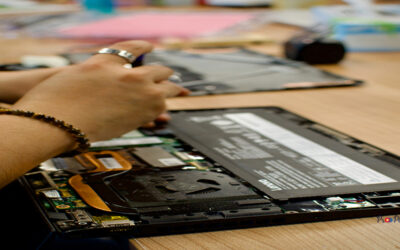
You can replace an iPhone 11 battery yourself. Many skilled DIYers do. It is not a beginner project though. Here is what you actually need to do it as safely as possible.
Essential tools:
- Precision screwdriver set with pentalobe and tri-point
- Suction cup or handle, plastic opening picks, and nylon spudger
- Fine tweezers and anti-static gloves
- Heat gun or hair dryer for softening adhesive
- Isopropyl alcohol and microfiber cloths
- Adhesive strips designed for iPhone 11 batteries
- ESD-safe mat or wrist strap to reduce static discharge risk
Key safety steps:
- Back up your data with iCloud or Finder before you start.
- Power off the phone, then discharge the battery as low as practical.
- Warm the screen perimeter to loosen adhesive; lift slowly with suction and picks.
- Disconnect the battery before any other flex cables.
- Use plastic tools near the logic board; avoid prying with metal.
- Pull battery adhesive tabs low and slow; if they tear, apply small amounts of isopropyl under the cell and work patiently.
Real risks to weigh:
- ESD damage to the logic board if you do not ground yourself.
- Tearing tiny flex cables for the display, Face ID, or battery connector during opening or reassembly.
- Puncturing or bending a lithium battery, which can swell, smoke, or catch fire.
- Trapped debris or misaligned gaskets causing poor water resistance and future failures.
- Software pairing, where iOS shows an Important Battery Message after third-party or unpaired installations.
When to stop and call a tech:
- You see or feel battery swelling.
- Adhesive tabs snap and the cell will not budge without force.
- The display does not lift evenly, or the cable bundle feels stuck.
- You lack the right screwdriver, adhesive, or ESD setup.
If any of these pop up, pause. For GTA readers, professional help can prevent a small mistake from becoming a logic board repair.
What changes in iOS after a battery swap
After a DIY or third-party replacement, your iPhone 11 may show:
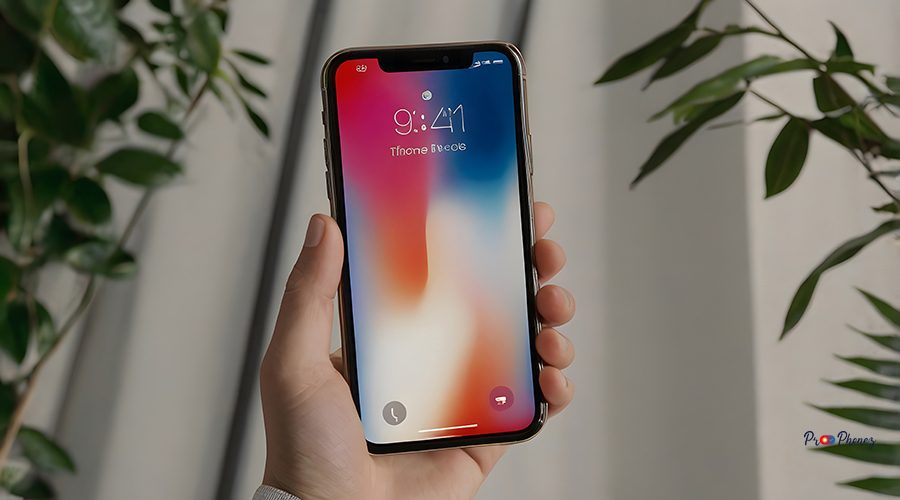
- Important Battery Message in Settings for several days. Apple’s battery pairing system flags non-paired or aftermarket batteries.
- Battery Health showing Unknown part or Service. Function is typically normal, but the system cannot verify pairing.
- Temporary recalibration. Capacity and performance metrics can stabilize over a few charge cycles.
These messages do not usually affect day-to-day operation. They are informational. Apple-authorized repairs pair the part, avoiding the message. Reputable independent shops can explain trade-offs and warranty coverage so you choose what fits your budget and preferences.
Warranty and data considerations

- Manufacturer warranty: Third-party or DIY repairs may affect remaining Apple warranty or AppleCare. If you still have coverage, weigh that carefully.
- Shop warranty: Independent shops, including ProPhonez, typically provide their own repair warranty. Confirm details during quoting.
- Your data: A battery swap does not erase data. Still, always back up before any hardware work. If something goes wrong, a backup is your safety net.
Is it cheaper to DIY?

Usually, yes on parts alone. A DIY kit can cost less than professional service. The trade-off is your time, tool investment, and the risk of accidental damage that can cost more than the original repair. Professional service includes diagnostics, proper adhesives and sealing, ESD precautions, testing, and a warranty on the work.
Decision checklist: DIY vs pro

Use this quick filter to choose your path:
Experience level
- Confident with tiny electronics, steady hands, used to following detailed guides, and comfortable with risk, DIY can work.
- New to phone repair, nervous about flex cables or adhesives, choose pro service.
Parts quality
- You can source reputable parts and adhesives from a trusted supplier and accept Battery Health messages, DIY is viable.
- You want tested parts options, guidance on genuine vs high-quality aftermarket, and fewer unknowns, choose pro.
Time
- You have 2 to 3 focused hours and a clean, ESD-safe workspace, DIY may fit.
- You need your phone back today with minimal downtime, professional same-day service is worth it.
Risk tolerance
- You accept that a mistake can add cost and time, DIY is fine.
- You prefer a warranty, professional handling, and peace of mind, go pro.
If you are leaning pro, ProPhonez offers fast battery repair across the GTA and explains part choices up front. Explore our page on fast battery repair services to see how we work and what to expect.
Why GTA users choose ProPhonez for iPhone 11 batteries

- Safety-first methods: ESD precautions, controlled heat, and plastic tools near sensitive components.
- Part options: choose between genuine parts when available and high-quality aftermarket to fit budget and goals.
- Fast turnaround: many swaps are completed same day when parts and complexity allow.
- Clear communication: photo updates during many repairs, transparent quotes, and friendly advice on care and charging habits.
Curious about the DIY route anyway? We also publish practical guides, like our step-by-step on iPhone 11 battery replacement, to help you understand the process and decide with eyes open.
When a simple battery job uncovers more

Opening an iPhone can reveal other issues, like a nicked display cable, old adhesive that will not reseal, or a prior repair. If your device also has a cracked iPhone screen or back glass damage, combining repairs can save time and re-open cycles. If the phone is generally acting up, start with a quick diagnostic so the fix targets the real cause.
FAQ: quick answers

- Can I replace an iPhone 11 battery myself? Yes, with proper tools, ESD precautions, and patience. It is a moderate-difficulty repair. If you see swelling or feel unsure at any point, stop and seek a pro.
- Will I lose everything on my phone if I replace the battery? No. A battery swap does not erase data. Still, back up first using iCloud or Finder to protect your files in case of an unexpected issue.
- Is it cheaper to replace a battery yourself? Parts-only costs are typically lower with DIY. Weigh tool costs, your time, and the risk of damage against a professional repair that includes testing and a shop warranty.
- Is it worth getting a phone battery replaced? Usually yes if the device meets your needs and the rest of the phone is in good shape. A fresh battery can extend life, improve reliability, and delay a costly upgrade.
Ready for a safe, fast fix in the GTA?

If you decide to go pro, ProPhonez can swap your iPhone 11 battery quickly, with careful handling and clear options. Check out our approach to fast battery repair services to get started, or read our detailed iPhone 11 battery replacement guide if you want to study the steps first. If your device has other issues too, such as a cracked screen, our page on fixing your broken iPhone outlines common same-day solutions.
Helpful resources
- Learn how ProPhonez handles fast battery repair services near you: https://prophonez.com/fast-battery-repair-services-near-you/
- Read our step-by-step guide to iPhone 11 battery replacement: https://prophonez.com/how-to-perform-an-iphone-11-battery-replacement-easy-steps/
- If your device needs more than a battery, see options to fix your broken iPhone: https://prophonez.com/fix-your-broken-iphone-today/
Summary: A DIY iPhone 11 battery swap is doable with the right tools, skill, and patience. The main risks are ESD damage, torn flex cables, and battery mishandling. Expect an informational battery message in iOS after non-paired parts. If you prefer a fast, tested, and warranty-backed solution in the GTA, ProPhonez is ready to help. Call 437-855-8956 to book or ask a quick question.