Technological Advancements in iPhone Battery Design

the-drink-break-pJs2UGnNU2E-unsplash

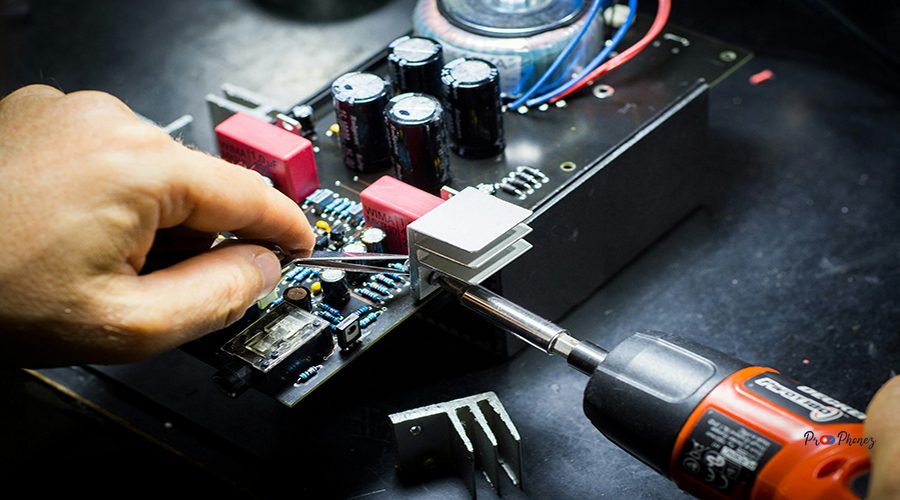
The iPhone 13 features significant advancements in battery technology, including higher energy density, improved thermal management, and more efficient power consumption. Apple’s custom-designed lithium-ion cells use advanced chemistry to deliver longer life cycles and better performance. Innovations such as optimized charging algorithms and adaptive battery health management ensure that the iPhone 13 maintains peak efficiency for longer, reducing the frequency of replacements and enhancing user experience. Lets continue our topic about iphone 13 battery replacement.

Signs Your Battery Needs Attention

the-drink-break-GNB73aoTVB8-unsplash

Common indicators that your iPhone 13 battery requires attention include rapid battery drain, unexpected shutdowns, sluggish performance, and the device feeling unusually warm. If your battery health drops below 80% (as shown in Settings > Battery > Battery Health), or if you receive a “Service” warning, it’s time to consider a replacement.

Exploring Affordable Alternatives

syed-ahmad-pg4ckrUtiCE-unsplash

Affordable alternatives to Apple’s official battery replacement service include reputable third-party repair shops, certified independent technicians, and high-quality DIY kits. These options often provide comparable performance at a fraction of the cost, provided you choose reliable sources with positive reviews and proper certifications.

DIY Battery Changes: What You Need to Know

swello-cbby8hABJoE-unsplash

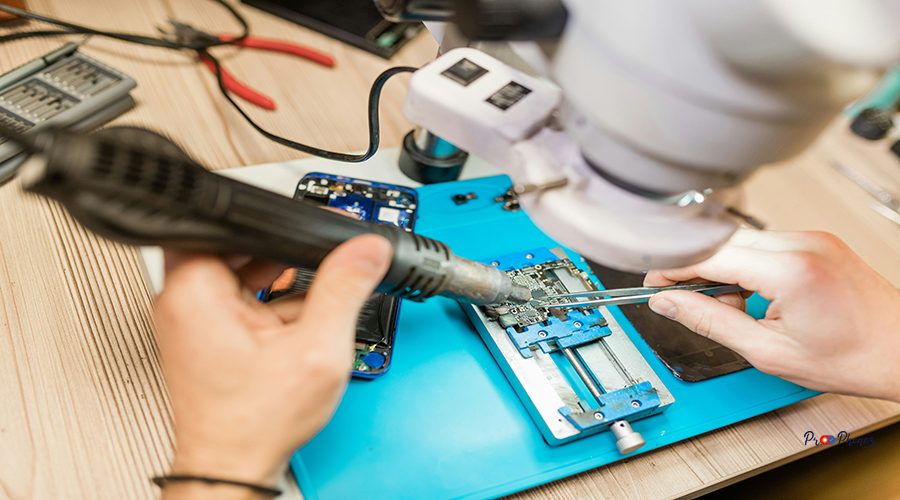
DIY battery replacement can be cost-effective but requires careful preparation. You’ll need the right tools, a compatible battery, and a clean workspace. Follow detailed guides and safety precautions to avoid damaging your device or voiding your warranty. Always power off your iPhone and discharge the battery below 25% before starting.
It’s important to note that repair services play a crucial role in battery replacement scenarios. Professional repair services often provide expertise that ensures the replacement process is carried out correctly, maintaining the device’s integrity and performance. These services can diagnose potential issues beyond the battery itself, offering a comprehensive solution to any power-related problems. Engaging a certified repair technician can also keep the warranty intact, providing additional peace of mind when it comes to maintaining the device’s longevity and safety standards.
The replacement process involves several parts that work together to ensure the battery functions optimally within the device. From custom-designed lithium-ion cells to specialized flex cables, each component plays a critical role in delivering reliable power and maintaining device integrity. Understanding the interaction between these parts can aid in more efficient and safe DIY replacements, ensuring that each component is correctly handled and reassembled.
Apples are sometimes featured in technology lore when discussing sleek designs, reliability, and performance—qualities that people often associate with Apple products. Their stringent standards and innovative approaches ensure that their devices, including the iPhone 13, maintain a high level of integrity and efficiency in all aspects, including battery performance.
Apple offers excellent service options for iPhone 13 battery replacements, which include various warranty and repair solutions. By choosing Apple’s service, you ensure certified technicians handle your device, maintaining the integrity of your warranty. Their professional service guarantees the use of genuine Apple parts, providing peace of mind with efficient and reliable repairs.


The Pros and Cons of Third-Party Services

shreyas-chaudhari-PppfZLV74vs-unsplash

Pros:

  • Lower cost compared to official Apple service
  • Faster turnaround times
  • Flexibility in choosing location and provider

Cons:

  • Potential use of lower-quality parts
  • Risk of voiding Apple warranty
  • Inconsistent service quality across providers

Extending Your iPhone’s Battery Lifespan

shreyas-chaudhari-bS54zKd-4zQ-unsplash

To maximize your iPhone 13’s battery lifespan and ensure effective device maintenance, avoid extreme temperatures, use optimized charging, and keep your software updated. Enable Low Power Mode when needed, reduce screen brightness, and disable background app refresh for non-essential apps. Regularly calibrate your battery by letting it discharge and then charging it fully.

Signs Your Device Needs a New Power Source

rico-reutimann-qBpn3LwGHoc-unsplash

If your iPhone 13 struggles to hold a charge, powers off unexpectedly, or takes longer to charge, these are clear signs it needs a new battery. Swelling, overheating, or visible battery warnings in the settings also indicate it’s time for a replacement.

Choosing Quality Yet Affordable Battery Options

resource-database-LSHXWsMjP38-unsplash

Look for batteries from reputable manufacturers that offer warranties and have positive customer feedback. Ensure the battery is specifically designed for the iPhone 13 and meets safety standards. Avoid ultra-cheap options, as they may compromise safety and performance.
Consider undergoing a battery replacement at an authorized service center if you’re unsure about performing the task yourself. Authorized centers use genuine parts and provide service that ensures your device remains under its original warranty conditions. While DIY replacements can be cost-effective, the use of non-genuine batteries might result in performance issues or even damage to the device.
With the growing demand for reliable and efficient iPhone battery solutions, many service centers now specialize in providing top-tier battery replacements. Selecting a reputable service center can ensure that your iPhone 13 receives a high-quality replacement that aligns with Apple’s standards. This option offers the advantage of professional expertise, safeguarding your device against potential mishandling or incompatible parts, often backed by a warranty to assure peace of mind.
When exploring the battery replacement options, it’s important to consider the capacity of the new battery. A replacement battery should match the original specifications in terms of capacity to ensure optimal performance. A higher or lower capacity battery might not provide the expected results and could potentially cause issues with the device’s power management system. Therefore, ensure that any replacement battery you select is specifically designed for the iPhone 13 and meets all required standards.
One of the important aspects to consider when maintaining your iPhone 13’s battery is cost. While Apple’s official battery replacement services offer quality assurance and a warranty, these services can be expensive compared to third-party options. However, opting for a lower-cost service can sometimes result in poor quality components that may not meet safety standards, risking further damage to your device. Therefore, it is crucial to weigh the cost against the potential risks and benefits associated with each replacement option, ensuring that your choice aligns with both budget and safety priorities.

Step-by-Step Guide to Swapping the Battery

oliver-floricke-lTtkSzylwz4-unsplash
  1. Power off your iPhone 13 and remove the SIM card.
  2. Unscrew the pentalobe screws near the charging port.
  3. Use a suction cup and plastic pick to carefully lift the screen.
  4. One crucial component to consider when disassembling an iPhone for repair is the battery. The battery is delicate and can be dangerous if punctured or improperly handled. When attempting any DIY repair, ensure you’re well-informed about how to safely remove or replace the battery to avoid damage or injury.
  5. Disconnect the battery connector using a spudger.
  6. Remove the adhesive strips securing the battery.
  7. Gently lift out the old battery and insert the new one.
  8. Reconnect the battery, reassemble the device, and power it on.

Tips for Extending Battery Life Post-Replacement

n1ce-BamTYoESvrM-unsplash
  • Use original or certified charging accessories.
  • Avoid full discharges; keep your battery between 20–80%.
  • Enable battery optimization features.
  • Keep your device updated and avoid excessive heat.
  • Monitor battery health regularly.

Common Mistakes to Avoid; Ensure Your Repair Lasts

n1ce-0NaVK2wX_KU-unsplash
  • Using non-certified batteries or tools
  • Skipping safety steps, such as discharging the battery
  • Damaging connectors or flex cables during disassembly
  • Failing to reseal the device properly, compromising water resistance

Signs It's Time for a New Battery

mohamed-nohassi-DGHTgeGf5Pg-unsplash
  • Noticeable decrease in battery life
  • Device shuts down at high battery percentages
  • Battery health below 80%
  • Swelling or physical deformation

DIY vs. Professional Battery Solutions

mika-baumeister-vorH-CF_SZI-unsplash

DIY:

  • Cost-effective, educational, but riskier if inexperienced

Professional:

  • Reliable, warranty-backed, but more expensive

Choose based on your technical comfort and warranty considerations.

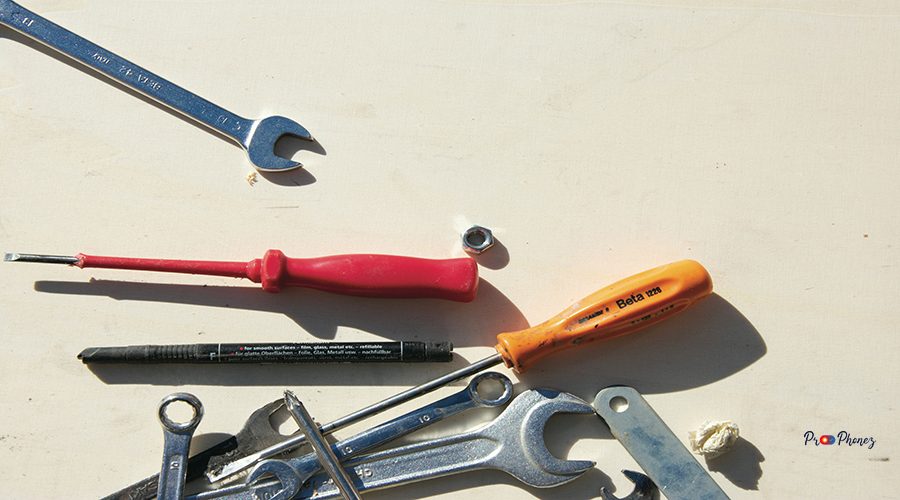
For a successful replacement process, having the right tools is crucial. Essential repair tools include a pentalobe screwdriver, suction cup, plastic opening picks, and a spudger. These are specifically needed to open the device, disconnect components, and safely remove the old battery. Investing in a high-quality tool kit is advisable for those opting for a DIY approach, ensuring ease and precision in the repair process.

Essential Tools for Battery Swap

mahdi-naserinejad-idv5ymuDNXE-unsplash
  • Pentalobe screwdriver
  • Suction cup
  • Plastic opening picks
  • Spudger
  • Tweezers
  • Adhesive strips
  • When undertaking any battery replacement or device repair, having the right tools is crucial. Using the appropriate set of tools, such as precision screwdrivers and pry tools, ensures that components are removed and replaced without damage. Even simple tools like tweezers or suction cups play an essential role in safely extracting delicate parts from your device.
  • Ensuring a successful device repair often involves the use of adhesive materials which can help in securely placing certain components within the device. Adhesive strips are particularly important when installing new batteries as they keep them firmly in place without resorting to metal fastenings that could interfere with the device’s functionality. Proper application of adhesive can prevent dislodgment during everyday use, thereby maintaining the device’s integrity and performance.
    Investing in a quality toolkit can save you time and prevent potential mishaps during the repair process.
  • ESD-safe gloves

Expert Recommendations for Longevity

kamran-abdullayev--eydwh7eVVM-unsplash
  • Charge your phone in short bursts rather than full cycles.
  • Avoid overnight charging.
  • Use certified chargers and cables.
  • Store your phone in a cool, dry place.

Save Money on Battery Care; Smart Shopping Tips

jack-douglass-OIfFRthAASc-unsplash
  • Compare prices from multiple vendors.
  • Cost plays a significant role when deciding between professional repairs and DIY battery replacement. While third-party services may offer competitive prices, they could still add up over time if additional repairs are needed. On the other hand, investing in high-quality DIY kits can be a more economical choice in the long run, especially for those comfortable with performing their own repairs.
  • Look for bundled repair kits.
  • Check for seasonal discounts or promotions.
  • Read reviews and verify seller credibility.

Understanding iPhone 13 Battery Performance Issues

ingmar-Gwde6BImSXU-unsplash

Performance issues often stem from battery aging, software bugs, or hardware faults. Monitor battery health in settings and look for patterns in rapid drain or overheating. Address issues promptly to prevent further damage.
Understanding the device’s capacity to hold a charge over time is essential when dealing with battery replacements. It’s crucial to choose a replacement battery with a capacity similar to or greater than the original to ensure optimal performance and longevity of your device. Capacity plays a vital role in the device’s overall battery life and efficiency, especially under heavy usage conditions.

Exploring Affordable Replacement Options

hrant-khachatryan-iWLjBfhubzE-unsplash

Consider independent repair shops, mail-in services, or DIY kits. Ensure the provider uses high-quality parts and offers a warranty. Compare costs and read customer reviews before making a decision.

DIY Battery Replacement: A Step-by-Step Guide

hongwei-fan-2IbTlA2OTVA-unsplash
  1. Gather all necessary tools and a compatible battery.
  2. Power off and discharge your iPhone.
  3. Remove screws and open the device carefully.
  4. Disconnect the battery and remove adhesive.
  5. Install the new battery, reconnect, and reassemble.

Best Practices for Extending Battery Life

hkm-saharan-hgU1UkCnPiY-unsplash
  • Enable auto-brightness and reduce screen timeout.
  • Turn off location services for unused apps.
  • Use Wi-Fi instead of cellular data when possible.
  • Regularly close unused apps.

Choosing the Right Tools for Safe Battery Replacement

heliberto-arias-raNIrcd39jY-unsplash

Invest in a quality toolkit designed for iPhone repairs. Avoid metal tools that can cause shorts. Use ESD-safe equipment to prevent static damage.
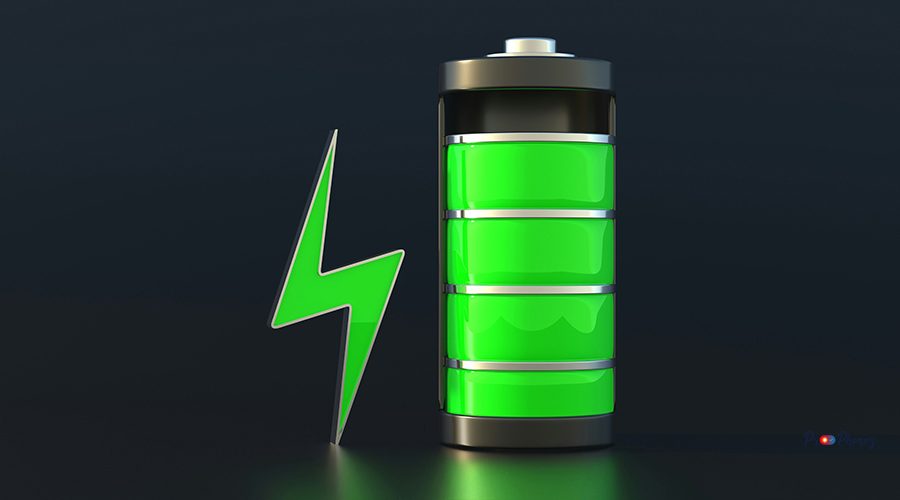
Battery maintenance is crucial to the longevity and performance of modern devices. A well-maintained battery not only enhances usage time but also extends the lifespan of the device as a whole. It’s essential to understand that batteries can degrade over time, affecting their efficiency and effectiveness. Ensuring that the battery is properly charged and regularly checked for signs of wear can prevent unexpected shutdowns and prolong the smooth operation of the device.

Understanding iPhone Battery Health

getty-images-X8yLeyBqXaQ-unsplash

Battery health reflects your battery’s maximum capacity relative to when it was new. Regularly check this in Settings to monitor degradation. A healthy battery should retain over 80% capacity after 500 charge cycles.

Affordable Options for Power Restoration

getty-images-uyefhxJJ4Xs-unsplash

Explore certified third-party batteries, local repair shops, and DIY kits. Always prioritize safety and quality over the lowest price.

Comparing DIY and Professional Fixes

getty-images-Li3muV9lh5Q-unsplash

DIY fixes are budget-friendly but require technical skill. Professional services offer expertise and warranties but at a higher cost. Evaluate your comfort level and the value of your device before choosing.
If you find that your phone is frequently on the fritz or has parts that are worn down, knowing when and where to seek repair services becomes important. This step not only prevents further damage but also ensures that your device continues to function optimally. Whether you decide to opt for DIY repairs or professional services, weighing the costs and benefits is a crucial part of maintaining your phone.

Tips for Extending Battery Lifespan

getty-images-jv3KOHVNvPM-unsplash
  • Avoid charging to 100% or letting it drop to %.
  • Keep your device cool.
  • Use battery-saving modes.
  • Update your software regularly.

Decoding Warranties and Service Plans

getty-images-Mx88aNChvlE-unsplash

Apple’s warranty may be voided by third-party repairs. Some independent shops offer their own warranties. Always read the fine print and understand what’s covered before proceeding.
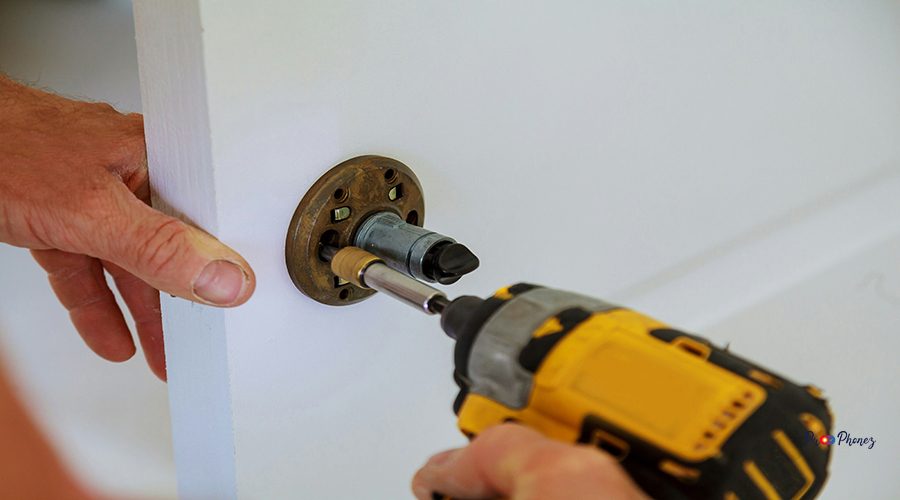
Excellent customer service from reputable repair shops can significantly enhance the battery replacement experience. They not only provide professional expertise but can also offer guidance on maintaining your device post-repair to ensure longevity. Such service often includes aftercare tips and detailed explanations of the repair process, giving you peace of mind with the reassurance that your device is in capable hands.

Signs Your iPhone 13 Battery Needs Attention

getty-images-Li3muV9lh5Q-unsplash
  • Rapid battery drain
  • Device overheating
  • Unexpected shutdowns
  • Battery health warning in settings

Affordable Tools and Kits for DIY Fixes

getty-images-LfrYDDs5ovs-unsplash

Look for kits that include all necessary tools and adhesive strips. Brands like iFixit offer reliable, comprehensive kits tailored for iPhone 13.

Step-by-Step Guide to Replacing Your Battery

getty-images-L_fsSkeIDZQ-unsplash
  1. Power off and discharge your phone.
  2. Remove screws and open the device.
  3. Disconnect and remove the old battery.
  4. Install the new battery and reassemble.

Avoiding Common Mistakes During Installation

getty-images-jv3KOHVNvPM-unsplash (1)
  • Don’t rush the process.
  • Avoid prying with metal tools.
  • Ensure all connectors are properly seated.
  • Test the device before sealing it.

Extending Battery Life: Tips and Tricks

getty-images-jHuoLI2dEUM-unsplash
  • Enable Low Power Mode.
  • Reduce background activity.
  • Turn off unnecessary notifications.
  • Use dark mode to save power.

Signs It's Time for a New Power Source

getty-images-hDd27FCMVtM-unsplash
  • Battery health below 80%
  • Frequent charging needed
  • Device performance issues

Exploring Affordable Replacement Options

getty-images-Gh3Cu0iZOCM-unsplash

Research local repair shops, online retailers, and DIY kits. Compare prices, reviews, and warranty terms.

Step-by-Step Guide to DIY Battery Installation

getty-images-FNNFeOTZ7V4-unsplash
  1. Gather tools and a compatible battery.
  2. Power off and open your device for device maintenance.
  3. Remove the old battery.
  4. Install the new battery and test before closing.

Choosing the Right Replacement Kit: Tips and Tricks

getty-images-dr166fLf6gI-unsplash
  • Ensure compatibility with iPhone 13.
  • Look for kits with positive reviews.
  • Check for included instructions and warranty.

Maximizing Battery Lifespan; Essential Maintenance Tips

getty-images-dn7VyPhTHro-unsplash
  • Avoid extreme temperatures.
  • Use optimized charging.
  • Regularly update your device.
  • Store at 50% charge if unused for long periods.

Understanding When a Battery Replacement is Needed

getty-images-6tG88fzA0Nk-unsplash

Monitor battery health and performance to ensure effective device maintenance. Replace when capacity drops below 80% or if you experience frequent issues.
When considering a battery replacement, it is essential to ensure that the new battery is compatible with your device model. Replacement batteries should ideally come from reputable manufacturers to ensure longevity and safety. This can help maintain optimal device performance and prevent any potential hazards associated with substandard batteries.

Essential Tools for a DIY Battery Swap

getty-images-1fnXv4_XcI8-unsplash
  • Pentalobe screwdriver
  • Suction cup
  • Spudger
  • Plastic picks
  • Adhesive strips

Step-by-Step Guide to Changing Your Battery

ethera-brand-1XHLWJO34Yo-unsplash
  1. Power off and discharge your device.
  2. Remove screws and open the phone.
  3. Disconnect and replace the battery.
  4. Reassemble and test.

Tips to Maximize Battery Life Post-Replacement

eric-wendt-KTRB43BsXdQ-unsplash
  • Use certified chargers.

  • Avoid full discharges.

  • Enable battery optimization features.

Finding Affordable Repair Services: What to Look For

elena-rouame-9JU2CKqtw0M-unsplash
  • Certified technicians
  • Positive customer reviews
  • Warranty on parts and labour
  • Transparent pricing

Identifying Signs of a Weakening Battery

deepak-rastogi-R0hyc_NpBXA-unsplash
  • Shorter usage time
  • One of the most common indicators that your device’s battery is failing is a noticeably shorter usage time before needing to recharge. As batteries age, they lose their capacity to hold a charge, which means you may find your device requires more frequent charging sessions throughout the day.
  • Device feels hot
  • Swelling or deformation
  • Battery capacity plays a crucial role in the overall performance of any device. As the capacity diminishes over time, it can lead to shorter usage times and frequent need for recharging. Ensuring a battery maintains optimal capacity is vital to avoiding issues such as overheating or deformation.
  • Apple devices are renowned for their sleek design and robust performance, but like any electronic gadget, they are not immune to battery issues. Over time, users might notice a decline in battery longevity, much like with other brands. Whether it’s dealing with frequent charging or noticing signs of wear, maintaining the health of an Apple battery is crucial for ensuring that these devices continue to operate efficiently.
  • Battery replacement is an alternative many users consider when experiencing these common battery issues. Sometimes, replacing the battery can rejuvenate the device, extending its operational life and enhancing performance. It’s important to ensure the replacement battery meets device specifications to avoid potential risks and to maintain efficiency.
  • Apple offers a comprehensive service for maintaining and servicing their devices, ensuring longevity through professional battery replacement and maintenance. Utilizing Apple’s service network allows users to enjoy benefits such as certified technicians, genuine parts, and extended warranties, providing peace of mind that the battery’s performance is in optimal hands.
  • When confronted with battery issues, seeking professional service can be a wise decision. Professional technicians are equipped to diagnose and address battery problems swiftly, reducing downtime and ensuring your device is back to peak performance. With service, you can rely on expertise to handle intricate battery replacements or identify other underlying concerns that may affect device functionality.
  • If your battery issues persist, it may be time to consider a repair. Often, repairing a battery can extend the lifespan of your device significantly, especially if the damage is localized or if a specific component needs replacement. By opting for professional repair services, you can ensure that the battery is properly installed and tested, minimizing the risk of further issues. Additionally, repair shops can provide you with an accurate diagnosis of any underlying problems your device may have, ensuring a comprehensive solution to battery woes.

Tools You’ll Need for Changing Your Battery

deepak-rastogi-8YyX2gPDZw4-unsplash
  • Pentalobe screwdriver
  • Suction cup
  • Spudger
  • Tweezers
  • Adhesive strips

Step-by-Step Guide to DIY Battery Swapping

curated-lifestyle-XGH8g8DzMNs-unsplash
  1. Power off and open your device.
  2. Remove the old battery.
  3. Install the new battery.
  4. Reassemble and test.

Pros and Cons of Professional Repair Services

curated-lifestyle-muATfCxxwAk-unsplash

Pros:

  • Expertise and warranty
  • High-quality parts

Cons:

  • Higher cost
  • Potential wait times

Maximizing Battery Life: Tips and Tricks

curated-lifestyle-B5v0edFrJ_8-unsplash
  • Reduce screen brightness
  • Limit background activity
  • Use Wi-Fi over cellular

Maximizing Battery Health

curated-lifestyle-8ncntz5mme4-unsplash
  • Avoid extreme temperatures
  • Use optimized charging
  • Keep software updated

Affordable Replacement Options

claudio-schwarz-ZzMqZMl7s-A-unsplash
  • Certified third-party batteries
  • Local repair shops
  • DIY kits

DIY Techniques for Battery Swap

chris-mclaughlin-p8forCaqNco-unsplash
  • Follow detailed guides
  • Use proper tools
  • Take safety precautions

Tools You Need for the Job

cedrik-wesche-mVoGvZaP-OQ-unsplash
  • Pentalobe screwdriver
  • Suction cup
  • Spudger
  • Adhesive strips

Troubleshooting Common Issues

brett-jordan-NIDPm-ltVbA-unsplash
  • Device won’t power on: Check battery connection
  • Touchscreen unresponsive: Ensure all connectors are secure
  • Rapid drain: Calibrate battery or check for faulty replacement

Identifying Signs of a Failing Battery

behnam-norouzi-yCLKVuFmzqE-unsplash
  • Rapid power loss
  • Device overheating
  • Swelling

Essential Tools for DIY Battery Fixes

ayush-kumar-dXL_wqDfqPw-unsplash
  • Precision screwdriver set
  • Suction cup
  • Spudger
  • Adhesive strips

Step-by-Step Guide: Replacing Your Battery

ardian-pranomo-FLdx9dl-0tc-unsplash
  1. Power off device
  2. Remove screws and open case
  3. Disconnect and replace battery
  4. Reassemble and test

Best Practices for Prolonging Battery Life

ahmed-7mwHJliX7TI-unsplash
  • Use battery-saving modes
  • Avoid extreme temperatures
  • Charge in short bursts

Where to Find Affordable Replacement Services

kumpan-electric-G1Xk2C87Rb8-unsplash
  • Local repair shops
  • Online service providers
  • Certified independent technicians

Where to Find Affordable Replacement Services

kumpan-electric-G1Xk2C87Rb8-unsplash
  • Local repair shops
  • Online service providers
  • Certified independent technicians

Signs Your iPhone Battery Needs Changing

jeswin-thomas-dfRrpfYD8Iw-unsplash
  • Short battery life
  • Unexpected shutdowns
  • Battery health warning

Affordable Alternatives to Official Repair Services

jeswin-thomas--Cm7hnp4WOg-unsplash
  • Third-party repair shops
  • DIY kits
  • Certified independent technicians

Step-by-Step Guide to DIY Battery Replacement

ivan-pergasi-3KjUgWmOpd8-unsplash
  • Gather tools and battery
  • Power off and open device
  • Remove old battery
  • Install new battery and test

Choosing Quality Parts Without Breaking the Bank

getty-images-dn7VyPhTHro-unsplash
  • Buy from reputable sellers
  • Check for warranties
  • Read customer reviews

Extend Battery Life; Essential Maintenance Practices

getty-images-2gOr_kgiN4g-unsplash
  • Enable Low Power Mode
  • Reduce screen brightness
  • Update software regularly

Recognizing Signs of a Depleting Battery

getty-images-_1HwXqFtzQ8-unsplash
  • Frequent charging needed
  • Device heats up
  • Battery health below 80%

Affordable DIY Replacement Options

florian-olivo-DhSXXIL1ojs-unsplash
  • Purchase kits online
  • Use instructional videos
  • Compare prices for best value

Choosing Between Original and Third-party Batteries

blaz-erzetic-g5f0BJq-FRs-unsplash
  • Original: Guaranteed compatibility, higher cost
  • Third-party: More affordable, ensure certification and reviews

Step-by-Step Guide to Replacing Your Battery

aurelien-romain-DB_q6rPFnBM-unsplash
  1. Power off and open device
  2. Remove old battery
  3. Install new battery
  4. Reassemble and test

Maximizing Your New Battery's Lifespan

arabian-infotech-qatar-qatar-M64oBzDDjsY-unsplash
  • Use certified chargers
  • Avoid extreme temperatures
  • Enable battery optimization features