A MacBook Air keyboard replacement can feel like an outsized problem for such a thin, portable laptop. One stuck key can slow down an assignment, a missing letter can make work emails frustrating, and a keyboard that types on its own can make your MacBook nearly impossible to use. The good news: in many cases, replacing the keyboard or the larger keyboard assembly is far more practical than replacing the entire computer.
At ProPhonez, we see keyboard problems from daily wear, spills, debris, and hardware failure. The right repair starts with finding out whether the keyboard itself is the issue or whether a software setting, battery problem, or liquid damage is causing the symptoms.
When Does a MacBook Air Keyboard Need Replacement?
A keyboard does not need to be completely dead before it needs attention. One or two unreliable keys may be enough to disrupt your day, especially if you use your MacBook Air for school, remote work, budgeting, or running a business.
Common signs include keys that do not respond, letters that repeat with one press, keys that feel sticky or unusually loose, and a keyboard that enters random characters. Backlight failure, keys that work only at certain angles, or an entire row that stops responding can also point to a hardware issue. If your trackpad is also acting strange or the bottom case looks slightly raised, stop using the laptop and get it inspected. A swollen battery can put pressure on internal parts and should be handled promptly.
Not every typing issue calls for a replacement. A keyboard can appear faulty when accessibility settings such as Slow Keys are enabled, when macOS has a temporary software glitch, or when debris is trapped beneath one key. Testing with an external keyboard helps separate a keyboard hardware problem from a broader system problem. A technician can also inspect the connector, logic board, and battery before recommending parts.
Why MacBook Air Keyboard Repair Is More Involved
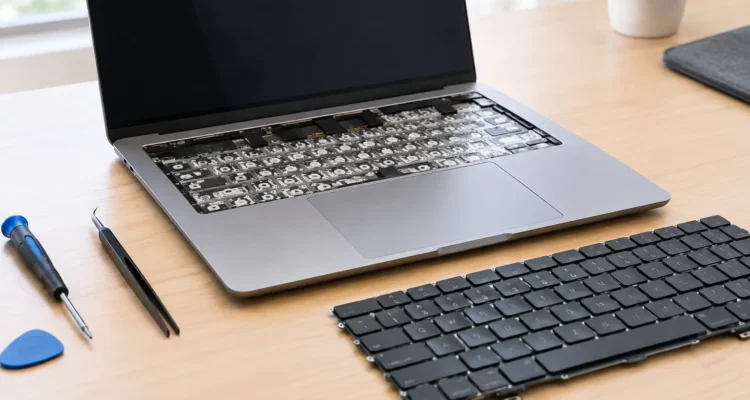
MacBook Air models are built for portability, which means many internal components are tightly fitted together. On a number of models, the keyboard is part of the top case assembly, the aluminum section that includes the keyboard and often the trackpad area. Replacing it can require carefully opening the laptop, disconnecting the battery, removing internal components, transferring parts, and fully testing the machine afterward.
That is why a loose keycap is not always a simple keycap repair. The small retaining clips can break, and replacing an individual key incorrectly can create more damage. For a single missing or damaged key on a compatible model, a focused repair may make sense. For widespread key failure, liquid exposure, or multiple damaged mechanisms, a complete assembly replacement is usually the more dependable solution.
The design also varies by year. Some older MacBook Air models use Apple’s butterfly-style keyboard mechanism, which is known for being especially sensitive to dust and debris. Newer models use a scissor-style Magic Keyboard design. Both can fail, but the repair approach, part availability, and labor involved depend on the exact model number and year.
Liquid Damage Changes the Plan
Coffee, water, soda, and other liquids do not always cause immediate failure. A MacBook Air may seem fine after a spill, then develop sticky keys, corrosion, charging issues, or random shutdowns days later. Sugary drinks are particularly troublesome because they leave residue behind.
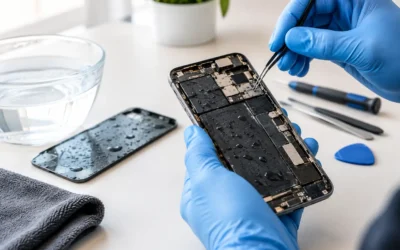
If liquid reaches the keyboard, turn the MacBook off, unplug it, and avoid charging it. Do not keep pressing keys to see what works, and do not rely on rice to remove moisture inside the computer. Fast professional inspection gives you the best chance of limiting corrosion and protecting the rest of the laptop. Sometimes the keyboard assembly is the only part affected; other times, cleaning, board-level work, or data recovery may also be needed.
What Happens During a Professional MacBook Air Keyboard Replacement?
A proper repair should begin with diagnostics, not a guess. The technician checks which keys fail, tests the trackpad, confirms the charging and battery condition, and looks for signs of liquid damage or impact. This matters because a keyboard replacement will not solve a logic board issue, and it is better to know the full condition of the laptop before approving a repair.
Once the correct MacBook Air model is identified, the repair team can confirm the available part options and quote. Part choice can depend on the keyboard layout you need, the color and condition of the top case, whether a compatible high-quality aftermarket assembly is available, and the condition of any components that must be transferred.
During the repair, the laptop is opened using the appropriate tools and the battery is disconnected before internal work begins. Components are moved with care, connectors are inspected, and the replacement assembly is installed. After reassembly, the keyboard is tested key by key. A thorough check should also cover the trackpad, backlight, power button or Touch ID function where applicable, charging, speakers, Wi-Fi, and general startup behavior.
Your files are typically stored on the MacBook’s internal storage, not the keyboard assembly. Still, any repair that requires opening a computer carries some risk, especially if there has been liquid damage or the laptop already has an unstable storage or logic board issue. If your MacBook turns on, back up important files before service whenever possible. If it does not, ask about data recovery options before making decisions that could affect the device.
Cost and Turnaround Time: What Affects Both
There is no one-price answer for a MacBook Air keyboard replacement. The exact model is the biggest factor, followed by whether the repair needs a complete top case assembly, the type of replacement part selected, and whether water damage or a swollen battery is involved. A keyboard that fails after a spill may need more than a keyboard repair to be reliable long term.
Turnaround time also depends on diagnosis and part availability. A repair shop can often identify the issue quickly, but the repair itself may take longer when a specific assembly must be ordered. If you rely on your MacBook for class or work, tell the technician upfront. They can explain the realistic timeline and whether there is a safe short-term option, such as using an external keyboard, while you wait.
Choosing the cheapest repair is not always the best value if it skips inspection, uses a poor-fitting part, or does not include post-repair testing. Ask what part is being installed, what the repair covers, and whether the work includes a warranty. ProPhonez provides a 30-day warranty on repairs, giving you a clear point of contact if a covered issue returns after service.
Can You Keep Using a MacBook Air With a Bad Keyboard?
An external USB or Bluetooth keyboard can keep you productive for a while, and it is a useful way to confirm that the rest of the MacBook is working normally. This is often a reasonable temporary solution when only the built-in keyboard has failed and you need to finish a project before bringing the laptop in.
However, do not ignore symptoms that suggest a larger issue. Repeated random typing, overheating, a raised bottom cover, signs of moisture, or failures involving both the keyboard and trackpad deserve quick attention. Continuing to charge and use a liquid-damaged MacBook can turn a repairable problem into a more expensive motherboard repair.
How Can You Protect the New Keyboard?
Keep drinks away from the laptop, clean the keyboard gently with a dry microfiber cloth, and avoid spraying liquid directly onto the keys. If debris is visible, use low-pressure air carefully rather than forcing objects under keycaps. A keyboard cover may help in some situations, but choose one made for your exact model and remove it before closing the lid if it is thick. Anything that adds pressure between the screen and keys can create a different problem.
A working keyboard is more than a convenience – it is how you get through work, school, messages, and everyday tasks without interruption. If your MacBook Air is typing unpredictably or keys have stopped responding, get a diagnosis before a small frustration becomes a laptop you cannot rely on.