A phone rarely stops working without warning. It may start with a screen that flickers once a day, a battery that dies before lunch, or calls that sound strangely muffled. Knowing the best signs phone needs repair gives you a chance to fix the problem before it cuts you off from work, school, payments, photos, and the people trying to reach you.
Putting off a repair can seem easier when your phone still turns on. But small issues often become more expensive issues, especially after a drop, liquid exposure, or repeated charging trouble. Here are the problems worth taking seriously and what they can mean for your device.
Best Signs Phone Needs Repair Right Away
1. Your screen is cracked, lifting, or hard to use
A cracked screen is more than a cosmetic annoyance. Sharp edges can make swiping uncomfortable, and even a small crack can weaken the display enough for the damage to spread after another bump. Cracks also create an opening for moisture and dust to reach the components beneath the glass.
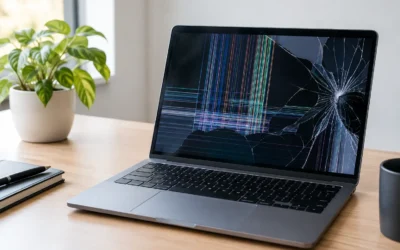
Watch for black spots, colored lines, flashing, dead areas, or touch controls that respond late or not at all. These are common signs the LCD or OLED display has been damaged, not just the outer glass. If your screen stays black but the phone vibrates, rings, or makes notification sounds, a display repair may bring it back without replacing the whole device.
2. Your battery drains unusually fast or shuts down randomly
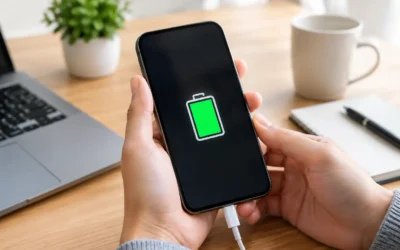
If you are charging two or three times a day despite normal use, your battery may be worn out. Batteries naturally lose capacity over time, but sudden drain, overheating, or a phone that drops from 30 percent to zero can point to a battery that needs attention.
Random shutdowns are especially frustrating when you rely on your phone for directions, work calls, school logins, or two-factor authentication. A battery replacement is often far more affordable than a new phone, particularly when the screen, camera, and performance are otherwise still in good shape.
Do not ignore a swollen battery. If the screen or back cover is lifting away from the frame, stop pressing it down or trying to charge the phone. A swollen battery needs professional service promptly because continued use can damage the display and internal connections.
3. Charging only works at a certain angle
You should not have to hold your cable just right to get a charge. A loose connection can happen when lint packs into the charging port, but it can also be caused by bent pins, corrosion, or damage after a drop.
Try a different known-good cable and charging block first. If the issue continues, avoid forcing the cable into the port. That can turn a cleanout or minor port repair into a more involved repair. Wireless charging may still work on some phones, but it is not always a practical long-term workaround.
4. Calls are quiet, distorted, or one-sided
When people cannot hear you, you cannot hear them, or music sounds thin and crackly, the problem may be with the microphone, earpiece, speaker, or software settings. Dirt in speaker grilles can reduce sound, while water exposure and physical impact can damage the component itself.
Test a call on speakerphone, record a short voice memo, and try headphones if you have them. If the issue happens across more than one app or call type, it is likely not just a network problem. A quick diagnostic can identify whether the phone needs cleaning, a component replacement, or a software fix.
5. The phone gets hot during normal use
It is normal for a phone to feel warm while charging, gaming, recording video, or installing a major update. It is not normal for it to become uncomfortably hot while sitting idle, sending a few messages, or making a short call.
Heat can come from a failing battery, a damaged charging system, a background app, or an internal board issue. Remove the case, unplug the charger, and let the device cool down. If overheating keeps happening, especially after water damage or a hard drop, have it checked instead of hoping an update will solve it.
6. Your phone has been exposed to water or moisture
A phone can suffer liquid damage even if it seems fine at first. Water-resistant ratings are helpful, but seals wear down with age, repairs, and impacts. Rain, a spilled drink, steam in the bathroom, or a quick drop in the sink can all cause corrosion inside a device.
If liquid gets into your phone, turn it off if possible and do not charge it. Skip the rice trick. Rice does not remove corrosion and can leave dust in ports. Fast professional cleaning and diagnostic work give the device its best chance of recovery, especially when your photos, messages, or work files are still stored on it.
Other Signs Your Phone May Need a Professional Check
Some problems are less obvious than a cracked display but can still interrupt your day. Keep an eye on these issues:
- Your camera will not focus, shakes excessively, or shows a black screen.
- Face ID, fingerprint login, buttons, or volume controls stop responding.
- The phone restarts repeatedly, freezes, or gets stuck on a logo.
- Wi-Fi, Bluetooth, mobile data, or GPS disconnects when other devices work normally.
- The back glass is broken or the housing is bent after a drop.
Software glitches can cause some of these symptoms, so a repair is not always the first answer. Restarting the phone, checking for updates, freeing up storage, and backing up your data are sensible first steps. But if the issue started after impact, moisture, or a failed update and keeps returning, diagnostics can save a lot of trial and error.
When Repair Makes More Sense Than Replacement
A repair is usually the smarter choice when the device is otherwise meeting your needs. A screen repair, battery replacement, charging-port fix, or back-housing repair can extend the life of a phone you already know and like. You also avoid the time of transferring apps, resetting logins, moving photos, and learning a new device.
Replacement may make more sense when the phone has several major failures, very old software support, or repair costs close to the value of a newer model. The answer depends on the model, the extent of damage, and whether your data is accessible. That is why an on-the-spot diagnostic is useful: you get a clear picture before deciding what to spend.
For newer phones with a single major issue, repairing is often a cost-conscious move. Ask about genuine and high-quality aftermarket parts, too. Genuine parts can be the right fit for certain models and features, while quality aftermarket options may lower the cost when that is your priority.
What to Do Before You Bring Your Phone In
If your phone is still usable, back it up as soon as possible. Save your photos and important files, and make sure you know your device passcode and account credentials. A backup is valuable for any repair, but it is especially important if the phone is restarting, showing storage errors, or has liquid damage.
Do not keep using a phone with a swollen battery, exposed internal components, severe overheating, or active liquid damage. Power it down and bring it in. For less urgent problems, take a few notes about when the issue started and what happened right before it began. That information helps a technician narrow down the cause faster.
At ProPhonez, technicians can diagnose common phone problems, explain the repair options, and help you decide whether a fast repair is worth it for your device. Many screen repairs can be completed the same day, depending on the model and part availability, with repairs backed by a 30-day warranty.
Your phone does not need to be completely dead before it deserves attention. Fixing the warning signs early can protect your data, control the cost, and get you back to reliable calls, messages, work, and everyday life without the disruption of starting over with a new device.