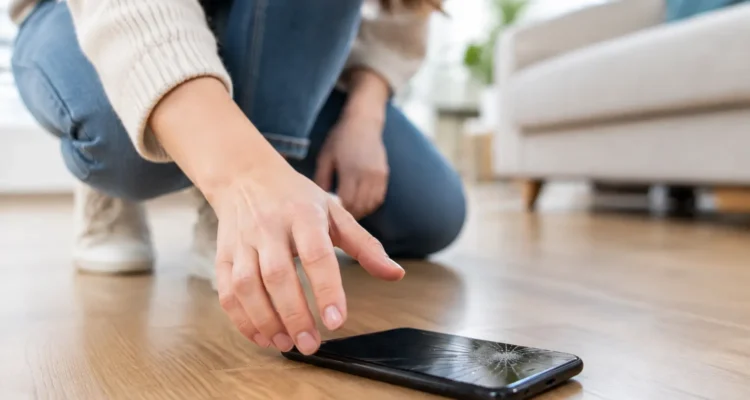
A phone can hit the floor once and still look completely normal, then start flickering, losing charge, or refusing to connect to Wi-Fi later that day. So, can dropped phones be fixed? In most cases, yes. A cracked screen, damaged charging port, weak battery connection, bent housing, or failed camera can often be repaired without replacing the entire device.
The key is not judging the damage by the glass alone. A phone may have a dramatic spiderweb crack and work perfectly after a screen replacement. Another may have an unbroken display but internal damage that affects its battery, cameras, speakers, or motherboard. Acting carefully after the drop can protect your data and keep a small issue from becoming a bigger one.
Can Dropped Phones Be Fixed After Any Type of Fall?
Whether a dropped phone can be fixed depends on where it landed, how hard it fell, the phone model, and what symptoms appeared afterward. Modern phones are built with reinforced glass and metal frames, but thin designs leave little room for a hard impact. A fall onto carpet is very different from a fall onto tile, concrete, or the corner of a countertop.
The most common repair is a broken screen. If the display is cracked but the touch function, brightness, and image are still working, a screen replacement is usually a straightforward solution. Many models can be repaired the same day, depending on the part and device.
A drop can also damage the back glass or housing. This is more than a cosmetic concern when sharp glass is exposed, the camera area is loose, or the phone no longer sits flat. A damaged back can reduce protection around internal components and may make the phone more vulnerable if it is dropped again.
Internal issues need a closer look. A phone that will not turn on, repeatedly restarts, heats up, drains unusually fast, or has no sound may have a disconnected component or board-level damage. These repairs can still be possible, but the cost and turnaround depend on the specific fault.
Check Your Phone Before You Keep Using It
After a drop, take a few minutes to test the features you rely on. Start with the screen. Look for dark spots, colored lines, flashing, ghost touches, or areas that no longer respond. A small crack can spread with pressure, especially near the edge of the display.
Then test the essentials: make a call, play audio, record a short voice memo, open both cameras, plug in the charger, and connect to Wi-Fi and Bluetooth. If your phone has Face ID, fingerprint recognition, or a proximity sensor that turns the screen off during calls, test those as well. These functions can reveal damage that is not immediately obvious.
Pay attention to the frame. If the phone is bent, the screen is lifting, or the back panel has separated, stop pressing it together. A distorted housing can put pressure on the battery or display and should be inspected by a technician.
If the phone still works, back it up as soon as you can. A drop does not automatically mean your data is at risk, but a device with intermittent internal damage can fail later. A current backup gives you options before any repair begins.
Signs You Should Stop Using the Phone
Some post-drop symptoms are a reason to power the phone down and get it checked instead of continuing to charge or use it. The biggest concern is a damaged lithium-ion battery. If the phone feels hot while idle, the screen or back is bulging, there is a chemical smell, or the housing is separating, unplug it and avoid putting it in a pocket, bag, or under bedding.
Do not puncture a swollen battery or try to flatten the phone by pressing on it. Keep it on a nonflammable surface away from heat until a qualified repair technician can assess it.
You should also pause charging if the port is loose, the charging cable only works at a certain angle, or the phone gets unusually warm when plugged in. A drop can bend connectors or damage charging components. Continuing to force a cable into the port can make the repair more involved.
If the phone was dropped into water or snow at the same time, do not rely on a rice bag. Turn it off if possible, do not charge it, and bring it in for proper water-damage treatment. Moisture and impact together can create corrosion issues that appear days later.
What Repairs Are Usually Possible?
Most drop-related issues are repairable, especially when the device is relatively recent and the motherboard is still functioning. A technician can diagnose whether the problem is limited to a part or reaches deeper into the phone.
Screen repairs address cracked glass, black displays, flickering panels, touch problems, and broken OLED or LCD layers. Depending on the model, replacing the display assembly restores both the picture and touch response.
Back housing repairs can replace cracked rear glass, bent frames, damaged camera surrounds, and loose buttons. This is particularly worthwhile when the phone has years of useful life left but no longer has a secure shell.
Camera, speaker, microphone, earpiece, and vibration problems can also follow a hard fall. A camera that shakes, will not focus, or shows a black image may need a replacement module. Muffled audio or a microphone that cuts out may come from a shifted or damaged component rather than a software issue.
For phones that do not power on after a drop, diagnosis matters more than guessing. The cause could be a disconnected battery, broken charging assembly, damaged display, or a motherboard issue. Board-level repair is more specialized, but it can be a smart option when the device contains important photos, messages, work files, or data that has not been backed up.
Repair or Replace: How to Make the Call
A repair is often the better value when the phone is otherwise reliable, receives current software updates, and the repair cost is far below the price of a comparable replacement. Screen and battery-related repairs are especially common because they can extend a phone’s useful life without the hassle of setting up a new device.
Replacement may make more sense if the phone has multiple major problems at once, is already outdated, or has extensive motherboard damage. Consider the full cost, not only the purchase price. A new phone may also mean transferring data, replacing accessories, relearning settings, and dealing with an interruption to work or school.
Part choice can affect the decision, too. Some repairs offer genuine parts, while others use high-quality aftermarket options that can reduce the price. The right choice depends on your model, budget, and priorities. Ask what part is being used, whether all functions will be tested afterward, and what warranty comes with the repair.
At ProPhonez, a technician can inspect the device on the spot, explain the likely issue, and help you choose between a practical repair and replacement before work begins. That clarity matters when a phone is your wallet, camera, calendar, classroom, and connection to everyone who needs you.
Protect Your Phone While You Decide
If the phone is safe to use and you are waiting for repair, a tempered-glass protector can help hold cracked front glass together temporarily. It is not a fix, and it will not restore a damaged display, but it can reduce the risk of cuts and loose shards. A protective case can also limit further damage, particularly if the frame has only minor scuffs.
Avoid exposing a cracked or bent phone to moisture. The original water resistance may no longer be reliable after a fall, even if there is no visible opening. Keep the device away from sinks, rain, steamy bathrooms, and damp bags.
Do not delay if the screen begins to show black patches or the touch response becomes inconsistent. Display damage commonly spreads, and a phone that remains usable today may become difficult to unlock or back up tomorrow.
A dropped phone does not have to turn into a replacement emergency. Get the symptoms checked, protect your data, and choose a repair based on the actual damage rather than the first crack you see.