Your phone falls into water, your laptop will not start, or a folder of work files disappears after one wrong tap. The panic is usually not about the device itself. It is about the photos, messages, notes, schoolwork, and business files inside it. Data recovery is the process of retrieving that information when a device is damaged, inaccessible, or affected by accidental deletion.
The first thing you do can make a real difference. Some lost files are recoverable with the right steps. Others become much harder to retrieve when a device is repeatedly restarted, reset, updated, or used after damage. Here is how to protect your best chance of getting your important data back.
What Data Recovery Can and Cannot Do
Data recovery is not one single repair. It can involve restoring files from a device that will not power on, transferring information from a phone with a broken screen, recovering data after liquid damage, or locating files that were deleted but have not yet been overwritten.
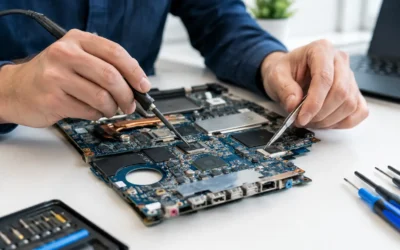
The right solution depends on what happened and on the device. An iPhone that still powers on but has an unusable display may only need a temporary screen connection or a screen repair so you can back it up. A laptop that fails to boot may have a healthy internal drive with files that can be transferred. A water-damaged phone may need corrosion treatment and board-level repair before it can stay on long enough to access its storage.
There are limits. Modern phones, tablets, Macs, and many Windows laptops use encryption to protect your privacy. That is good for security, but it means data often cannot be accessed if the device cannot be powered on and unlocked. If you do not know the passcode, account credentials, or recovery key, recovery may be restricted even when the storage hardware is intact.
A trustworthy technician should explain the likely options before promising results. No one can honestly guarantee recovery from every damaged, deleted, or encrypted device.
The First Hour Matters Most
When a device starts acting strangely, it is tempting to try every fix you can find. That instinct can turn a repairable problem into a tougher one. Your goal is to stop additional damage and avoid writing new information over files that may still be recoverable.
If Your Device Got Wet
Turn it off as soon as possible. Do not charge it, connect accessories, press buttons repeatedly, or test whether it is working every few minutes. Electricity and moisture are a bad combination, and continued power can cause short circuits on the motherboard.
Skip the rice. Rice does not remove corrosion from inside the device, and small particles can create another problem in charging ports and openings. Bring the device in for a proper inspection and water-damage treatment instead. The sooner technicians can disconnect the battery, assess the internal damage, and clean affected components, the better the chance of preserving both the device and its data.
If the Screen Is Broken but the Phone Still Works
A black, flickering, or shattered screen does not always mean your data is gone. Listen for notifications, vibrations, calls, or charging sounds. Those signs can mean the phone is still running in the background.
Avoid guessing your passcode on a screen you cannot see. Too many incorrect attempts can trigger security delays or disable the device. A screen repair or a controlled temporary display setup may allow you to unlock the phone, create a backup, and transfer your data safely.
If You Accidentally Deleted Files
Stop using the device or drive for anything nonessential. New photos, downloads, app updates, and saved documents can overwrite the space where deleted data was stored. Check the Recently Deleted, Trash, or Recycle Bin folder first, because many devices keep deleted items there for a limited time.
If the files are not there, do not immediately install random recovery software on the same device or storage drive. That installation alone may write data to the area you are trying to recover. A technician can help you determine whether recovery software, a file transfer, or a hardware-level repair makes sense.
Do Not Reset a Device Before Checking Your Options
Factory reset is often suggested as a quick answer to software problems, passcode issues, or a device that feels slow. It may solve certain problems, but it can permanently remove local data that was not backed up. The same caution applies to reinstalling an operating system or formatting a laptop drive.
Before taking that step, pause and ask a few practical questions. Is your information already backed up to a cloud account or external drive? Can the device still be unlocked? Does it show signs of life, such as charging, vibration, keyboard lights, or notification sounds? Has it been dropped, exposed to water, or recently updated?
These details help narrow down whether the issue is a display, battery, charging port, software, motherboard, or storage problem. A quick diagnostic can prevent you from making a decision that closes off recovery options.
When Physical Repair Is Part of Data Recovery
People often think of data recovery as pulling files from a drive. In many real-world cases, the device needs to be repaired first.
A phone with a dead battery cannot be backed up. A MacBook with charging damage cannot provide access to its files until it receives stable power. A tablet with a damaged display may need a new screen before you can approve a connection, enter a passcode, or move photos to another device.
That is why a repair shop should look at the whole picture instead of treating the data and hardware as separate problems. At ProPhonez, technicians can assess whether the most cost-effective route is a targeted repair that gets the device running, a data transfer to another device, or a more involved motherboard-level evaluation.
Sometimes the repair is straightforward and same-day. A screen or battery issue can often be resolved quickly, depending on the model and part availability. Liquid damage and motherboard faults are less predictable because technicians need to inspect the extent of the damage and test the device carefully after repair.
What to Bring and What to Know Before a Recovery Visit
You do not need to be technical to prepare for a data recovery assessment. Bring the device, its charger if you have it, and any accessories that may be relevant, such as an external hard drive or USB cable. If you know the device passcode and account login details, have them available. They may be necessary to access encrypted information after the device is repaired.
It also helps to explain the timeline clearly. Mention whether the device was dropped, got wet, stopped working after an update, ran out of storage, or began failing gradually. Tell the technician what matters most, whether that is family photos, client documents, text messages, notes, or a complete transfer to a replacement phone.
If you already attempted a repair, software restore, or home troubleshooting, say so. That information is useful, not embarrassing. It helps technicians avoid repeating steps that may put the remaining data at risk.
Protect Your Data Before the Next Emergency
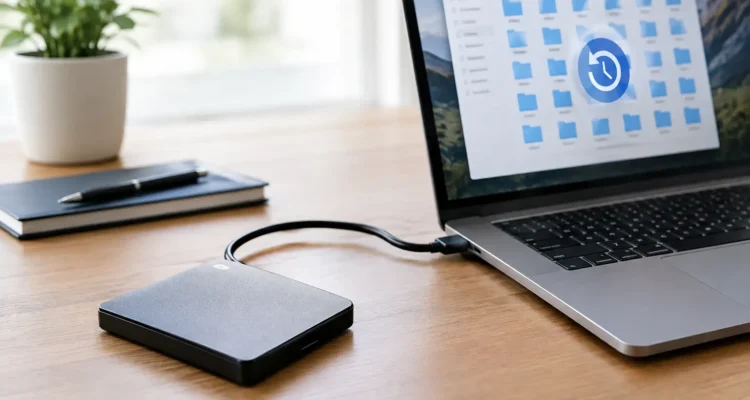
The best data recovery plan is a backup you made before anything went wrong. Automatic cloud backups are useful, but they should not be your only protection. Make sure they are actually completing, that you have enough storage space, and that you can sign in to the account when needed.
For important laptop and desktop files, keep a second copy on an external drive or secure cloud storage. For phones and tablets, turn on automatic photo backup and periodically confirm that recent photos, contacts, and messages are included. If you use authentication apps, save backup codes somewhere safe. A damaged phone is stressful enough without being locked out of your email, banking, or work accounts.
Battery health matters, too. A device that shuts down unexpectedly or only works while plugged in is harder to back up reliably. Replacing a failing battery before it fully gives out can protect your access to the information you depend on.
Common Data Recovery Questions
Can deleted photos be recovered?
Sometimes. Start with the Recently Deleted folder and check your cloud photo backup. If the photos are not there, stop using the device as much as possible and have it assessed. The longer a device is used after deletion, the greater the chance the deleted data is overwritten.
Can data be recovered from a phone that will not turn on?
Possibly. The issue may be the battery, charging system, display, or motherboard rather than the storage itself. Because many phones encrypt their data, getting the original device powered on and unlocked is often the key step.
Is a cracked screen a data recovery emergency?
It can be. If you cannot see or use the display, you may be unable to back up your device or approve a transfer. Getting the screen fixed quickly is usually safer than waiting until the phone fails completely.
How long does recovery take?
It depends on the problem. A data transfer from a working device may be quick, while water damage, motherboard repair, or severe storage failure can require more time for careful diagnostics and testing.
Your files are not just files. They are receipts, conversations, assignments, family memories, and the details that keep your week moving. If a device fails, resist the urge to reset or keep testing it, and get a clear assessment before small damage becomes permanent loss.