Your Samsung used to make it through work, messages, maps, and a late-night scroll without a charger in sight. Now it drops from 35% to 8%, shuts down in the cold, or needs a power bank just to survive lunch. A Samsung phone battery replacement can often bring back the dependable daily use you miss without the cost, setup time, and data transfer that come with buying a new phone.
A worn battery is frustrating, but it does not automatically mean your phone is finished. For many Galaxy owners, replacing the battery is the practical middle ground: keep the device you know, keep your photos and apps where they are, and get back to using it with confidence.
Signs Your Samsung Battery Is Ready for Replacement
Battery wear happens gradually, which makes it easy to overlook until it starts interrupting your day. Lithium-ion batteries lose capacity through normal charge cycles, heat exposure, age, and heavy use. A phone that once lasted all day may eventually need two or three charges to get through the same routine.
The clearest sign is noticeably shorter battery life, especially if your usage has not changed much. Random shutdowns are another common warning. If your Galaxy phone turns off while it still shows 10% or 20% charge, the battery may no longer be delivering steady power.
Pay attention to charging behavior, too. A battery that charges unusually slowly, jumps between percentages, gets excessively warm, or stays stuck at a certain percentage deserves a proper diagnostic. Heat can come from demanding apps or a damaged charging cable, so it is worth having a technician identify the real cause before replacing parts.
Physical swelling requires faster action. If the back of the phone is lifting, the screen is separating from the frame, or the device feels unusually thick, stop using it and avoid charging it. A swollen battery should be handled by a repair professional, not pressed back into place or punctured at home.
Is It the Battery or Another Samsung Phone Problem?
Not every battery complaint needs a new battery. Software updates, background apps, poor cell service, a failing charging port, and screen settings can all drain power faster than expected. A phone working hard to hold a weak signal, for example, can lose charge quickly even with a healthy battery.
That is why an on-the-spot diagnostic matters. A technician can check how the phone is charging, inspect the port for debris or damage, look for signs of liquid exposure, and test whether the battery is holding and supplying power as it should. This avoids paying for a battery replacement when the real issue is a cable, charging port, or software setting.
If your phone began draining right after an update or after installing a new app, try updating your apps, restarting the device, and reviewing battery usage in Settings first. If the issue continues for several days, or your phone is older and showing several battery symptoms, a diagnostic is the smarter next step.
What Happens During Samsung Phone Battery Replacement?
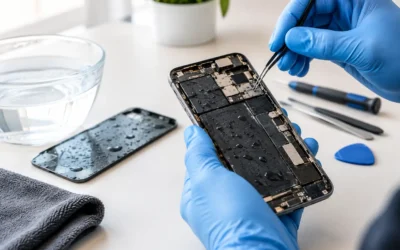
Modern Samsung phones are tightly assembled. Their batteries are secured inside the frame, often beneath the back glass and close to delicate display cables, wireless charging components, cameras, and fingerprint hardware. Replacing one safely takes the right tools, controlled heat, and a careful hand.
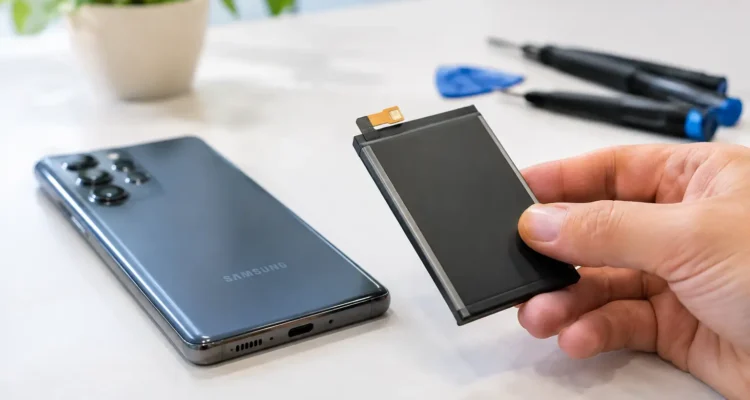
At a professional repair shop, the process starts with checking the device and confirming the likely cause of the power problem. The technician then opens the phone carefully, disconnects the internal power source, removes the worn battery, and installs a compatible replacement. Before the phone is returned, it should be tested for charging, power stability, and normal operation.
The exact turnaround time depends on your Galaxy model, its condition, and part availability. Many standard battery repairs can be completed the same day, while devices with severe damage, water exposure, or a swollen battery may need additional attention. Asking for a quote before the repair gives you a clear picture of timing and cost.
Your data generally stays on the phone during a battery repair because the storage is not being replaced. Still, backing up your important photos, messages, and files is always a good habit before any device service. If your phone will not stay on long enough to back up, tell the technician before work begins. There may be options to stabilize the device or discuss data recovery needs.
Genuine or High-Quality Aftermarket Parts?
Part choice is a real decision, not a detail to skip. Genuine parts may be the right fit for customers who want manufacturer-sourced components when available. High-quality aftermarket options can offer a more budget-friendly repair route for many models.
The best choice depends on availability, price, your phone’s age, and how long you plan to keep it. A reputable repair provider should explain the options clearly rather than treating every repair as identical. At ProPhonez, customers can discuss genuine and high-quality aftermarket part options before moving forward, along with the repair warranty offered on the work.
Why DIY Battery Repair Can Cost More Than It Saves
Video tutorials can make a battery replacement look simple. The reality is less forgiving. Samsung back glass can crack during removal, adhesive can be difficult to manage, and an accidental tear to a flex cable can create new problems with the screen, cameras, charging, or fingerprint reader.
There is also a safety issue. Puncturing or bending a lithium-ion battery can create heat, smoke, or fire risk. Using an unknown low-cost battery adds another variable, including poor capacity, inconsistent performance, or premature failure.
DIY repair can make sense for experienced hobbyists with the correct tools, a safe workspace, and a device they are prepared to risk. For a phone that carries your work apps, family photos, banking access, and daily communication, professional service is usually the more cost-conscious choice once the risk of extra damage is considered.
Get More Life From Your New Battery
A replacement battery gives your phone a fresh start, but everyday habits still affect how long it stays healthy. You do not need to obsess over every percentage point. Small practical changes can reduce strain over time.
Avoid leaving your phone in a hot car, on a sunny dashboard, or under a pillow while charging. Heat is one of the biggest causes of battery wear. Use a reliable charger and cable, and replace accessories that run hot, disconnect repeatedly, or show visible damage.
If you are dealing with a long day away from an outlet, lower screen brightness, use power-saving mode when needed, and close apps that are actively misbehaving rather than constantly force-closing every app. Keep your software current, since updates can fix unusual battery drain. These steps will not repair an aging battery, but they can help a healthy one last longer.
When Replacing the Phone Makes More Sense
Battery replacement is not always the best answer. If your Samsung has major motherboard damage, repeated water exposure, a failing display, and an outdated performance level all at once, putting money toward a newer device may be more sensible. The same can be true if a repair cost is close to the value of the phone.
But if the screen is clear, the cameras work, the phone still handles your apps well, and battery life is the main problem, repair is often the better value. You avoid shopping, transferring accounts, learning a new device, and hoping every important file made the move.
Frequently Asked Questions
Will a new battery make my Samsung phone faster?
It can make the phone feel more reliable if low power has caused shutdowns, lag, or unstable performance. It will not turn an older processor into a new one, but stable battery power can remove a major daily frustration.
How long does a Samsung battery replacement take?
Timing varies by model and condition. Many repairs are possible the same day, but swollen batteries, liquid damage, or parts that need to be ordered can take longer. A diagnostic and quote give you the most accurate estimate.
Will I lose my photos during battery replacement?
A standard battery replacement should not erase your data. Back up your device first whenever possible, especially if it is already shutting down unexpectedly.
Do not let a phone that dies before your day is over dictate your schedule. A quick diagnostic can tell you whether a Samsung battery repair is the practical reset your device needs, so you can get back to calls, work, school, and everything else waiting on your screen.