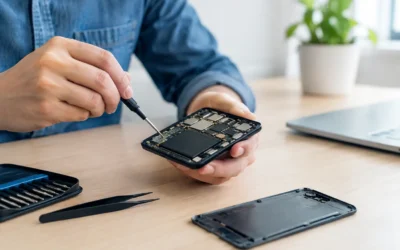
A phone with a shattered screen or a battery that dies before lunch creates an immediate question: should you repair or replace smartphone problems? The answer is rarely as simple as the damage looks. A $100 repair can keep a dependable phone working for years, while a serious internal failure on an aging model may make a replacement the smarter use of your money.
Before you rush into a new-device purchase or keep living with a frustrating phone, look at what failed, what the repair costs, and how well the rest of the device still serves you. A quick professional diagnostic can replace guesswork with a clear path forward.
When to Repair or Replace Smartphone Damage
Start with the issue itself. Many of the problems that make a phone feel unusable are common repairs, not a sign that the whole device is finished.
A cracked display is the clearest example. If the touchscreen still responds, the phone charges normally, cameras work, and there are no signs of deeper damage, a screen repair is often the practical choice. A new display can restore safe, comfortable use without the cost and setup work of a replacement phone. Depending on the model, same-day screen repairs can often be completed in 30 minutes to two hours.
Battery trouble is another repair-friendly issue. Batteries wear down with regular charging cycles, so a phone that drains quickly, shuts off unexpectedly, or needs constant charging may simply need a new battery. If you otherwise like the camera, performance, and storage on your current device, replacing the battery can give it a useful second life.
Back glass and housing damage, faulty charging ports, weak speakers, muffled microphones, broken earpieces, and unresponsive buttons can also be repairable. These failures are annoying, but they do not automatically mean the processor, cameras, and other core components have stopped being worth using.
Repair is usually the better call when your phone is relatively recent, the issue is isolated, and the estimate is comfortably lower than the cost of a comparable replacement. It is also a strong option when you need your device back quickly and do not want to spend an evening transferring apps, passwords, photos, payment cards, and settings to a new phone.
A repair may save more than the repair bill
The real cost of replacing a smartphone is more than its price tag. You may need a case, screen protector, charging accessories, insurance, or a higher monthly plan. Then there is the time cost: backing up files, signing into every account again, confirming two-factor authentication, and checking whether your photos and messages actually made the move.
Repair lets you keep the device that already fits your routine. For students, remote workers, parents, and anyone who relies on a phone for banking, directions, school portals, work calls, and family communication, that continuity matters.
Signs Replacing Your Phone Makes More Sense
There are times when repair is not the best investment. The key is to separate a single fixable problem from a device with several expensive problems at once.
Replacement deserves serious consideration when a phone has major motherboard damage, repeated failures after prior repairs, severe corrosion from water exposure, or damage that affects several core functions. For example, a phone with a cracked screen, failed charging system, weak battery, damaged cameras, and random restarts may need more work than its remaining value justifies.
Age matters too, but it is not the only factor. An older phone can still be worth repairing if it meets your needs and the repair is modest. However, if it no longer receives security updates, struggles with the apps you use daily, lacks enough storage, or cannot hold a reliable connection, putting money into it may only delay an upgrade you already need.
Consider replacement if the repair estimate is close to the price of a newer refurbished or new model with better battery life, more storage, and longer software support. There is no universal percentage that works for every phone. A repair that costs half the value of the device might still make sense if it solves one issue and keeps a reliable phone in service. It makes less sense if another costly failure is likely around the corner.
Water damage needs a faster decision
Water damage is different from a simple cracked screen. A wet phone can appear normal at first, then develop charging problems, display issues, battery trouble, or corrosion days later. Do not keep charging it, heating it, or assuming rice will fix internal moisture.
Power the device off if possible and bring it in for a diagnostic as soon as you can. Professional water-damage service focuses on opening the phone, addressing moisture and corrosion, testing components, and determining whether the device can be safely restored. Fast action improves the odds, especially when your data has not been backed up.
Even if replacement ultimately makes more sense, an assessment may help recover photos, messages, documents, and other files that matter to you.
Compare Cost, Reliability, and What You Need Next
A good repair-or-replace decision comes down to three questions: What will it cost to fix? How reliable will the phone be afterward? And what do you need the phone to do over the next year or two?
First, get an actual repair quote. Online estimates can be useful, but they cannot always identify hidden frame damage, charging issues, display problems, or water exposure. An on-the-spot diagnostic gives you a clearer picture of the work involved and whether a high-quality aftermarket part or a genuine part is available for your model.
Next, think honestly about reliability. If a technician can replace one failed component and the rest of the phone is healthy, repair is a sensible, cost-conscious move. If the phone has been unreliable for months, has multiple symptoms, or has suffered a hard impact that affected the internal board, replacement may bring more peace of mind.
Finally, consider your needs. Someone who uses a phone for calls, messages, maps, and photos may be perfectly happy extending the life of a two- or three-year-old model. Someone who needs demanding work apps, heavy video editing, all-day battery performance, or current camera features may benefit more from upgrading.
Protect Your Data Before Any Decision
If your phone still turns on, back it up before it gets worse. Save photos, contacts, messages, notes, and authenticator information through your preferred backup method. Make sure you know your account passwords and passcodes, particularly if you are switching devices.
If the phone is locked, unavailable, stuck in a boot loop, or will not power on, do not assume your data is gone. Data recovery and software-related services may be possible depending on the device and the damage. Be cautious with repeated restart attempts, random software tools, or charging a water-damaged phone. Those steps can make recovery harder.
For privacy, choose a repair provider that explains what access is needed, performs the work professionally, and tests the device before returning it. Ask about the repair warranty as well. A warranty does not erase every risk, but it shows the shop stands behind the parts and labor used to restore your phone.
Get a Clear Answer Before You Spend
You do not have to diagnose a phone problem from a cracked corner or a vague warning message. At ProPhonez, technicians can inspect the issue, explain the repair options in plain language, and help you compare the cost against replacing the device. That is especially helpful when the damage is not obvious, such as charging trouble, camera failure, speaker issues, water exposure, or motherboard concerns.
The best choice is the one that gets you back to a dependable phone without wasting money. If one repair can restore the device you already know and trust, take the win. If the diagnostic shows a chain of costly problems, you can replace it knowing you made the decision with the full picture.