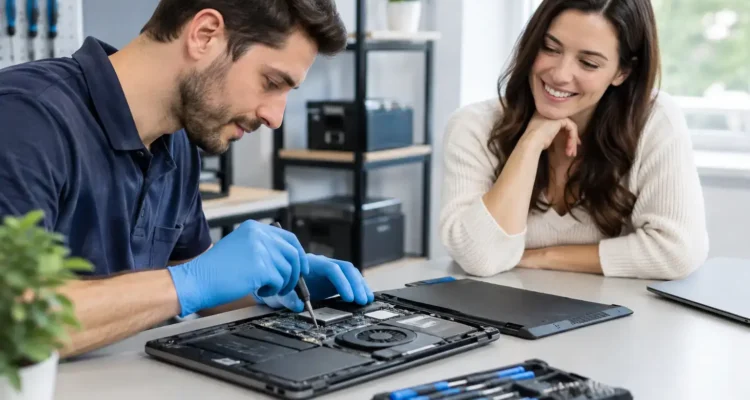
Your laptop rarely fails at a convenient time. It freezes during an online class, stops charging before a deadline, or takes a spill just as you need to send an important file. A good laptop repair experience is not only about fixing the visible problem. It is about getting clear answers, protecting what is on your device, and getting you back to work, school, and home life without spending more than you need to.
For many people, replacing a laptop sounds easier than repairing it. But a new machine means a bigger expense, moving files, reinstalling programs, remembering passwords, and learning a different setup. When the issue is a worn battery, damaged screen, faulty charging port, software problem, or repairable internal component, a professional repair can be the smarter path.
It Starts With a Real Diagnosis
The first step should not be a guess. A laptop that will not turn on may have a dead battery, a damaged charger, a loose charging port, a display issue, or a board-level problem. Those are very different repairs, with very different costs and turnaround times.
A technician should inspect the device, test the relevant components, and explain what is happening in language you can understand. You should know whether the problem is isolated or whether there is a risk of additional damage. For example, if a laptop was exposed to liquid, the visible issue may be only part of the story. Moisture can affect the keyboard, battery, charging circuit, and motherboard over time.
Good diagnostics help prevent two frustrating outcomes: paying for a repair that does not address the real cause, or replacing a laptop that could have been restored for much less. On-the-spot assessment also gives you a better sense of whether repair makes financial sense for your specific model.
Clear Pricing Makes the Repair Experience Better
Nobody wants to hear a low estimate at drop-off and a much higher number when it is time to pick up the laptop. A trustworthy repair experience includes a clear quote, a description of the expected work, and an explanation when there are options.
Parts are one of the most common choices. Depending on the laptop and repair, you may be able to choose an original-quality part or a high-quality aftermarket alternative. Original-quality options can be a better fit when you need the closest possible match in display performance, fit, and long-term reliability. Aftermarket parts can lower the total cost, especially for an older device where a premium component may not be worth the added expense.
There is no single right answer. The best choice depends on the age of your laptop, how heavily you use it, your budget, and whether color accuracy, battery life, or maximum performance matters to you. What matters is being told the difference before the repair begins.
Common Laptop Problems That Are Worth Repairing
A laptop can feel unusable even when the repair is straightforward. Cracked screens, failing batteries, broken hinges, keyboard damage, and charging trouble can interrupt your day without necessarily meaning the entire computer is done for.
Screen and Display Damage
A cracked display may show black spots, colored lines, flickering, or a completely dark image. Sometimes the laptop still powers on and works when connected to an external monitor, which is a useful clue that the issue may be limited to the display assembly. Screen repair can restore a device that is otherwise working perfectly.
Not every display problem is a broken screen. A dim image, intermittent flickering, or a screen that works only at certain angles can point to a cable, connector, backlight, or graphics-related issue. Proper testing keeps the repair focused on the actual failure.
Battery and Charging Problems
If your laptop only works while plugged in, loses power quickly, gets unusually hot, or shows a battery warning, battery replacement may be the answer. Batteries wear down naturally, particularly after years of charging cycles. Replacing one can make a laptop portable again without the cost of buying a new computer.
Charging issues are different. A damaged cable or adapter is the simplest possibility, but a loose port or internal charging circuit can cause the same symptoms. Do not keep forcing a charger into a port that feels loose or requires a certain angle. That can make damage worse.
Keyboard, Trackpad, and Hinge Damage
A few unresponsive keys can be annoying. A keyboard that types the wrong characters, repeats letters, or stops working after a spill needs attention quickly. On many laptops, the keyboard is integrated into a larger assembly, so the right repair depends on the design of the machine.
Hinges deserve the same attention. When a hinge becomes stiff, loose, or starts separating from the laptop body, opening and closing the lid can damage the screen, casing, or internal cables. Addressing it early is usually easier than waiting until the lid will not stay open or the display cracks.
Software, Storage, and Startup Issues
A slow laptop is not always a hardware failure. Startup errors, constant pop-ups, a full storage drive, corrupt software, or an operating system issue can make a healthy machine feel broken. A technician can help identify whether the solution is software cleanup, an operating system repair, storage replacement, or data recovery.
If you hear clicking from a traditional hard drive, see repeated error messages, or cannot access important files, stop using the laptop as much as possible. Continued use can make data recovery more difficult. Getting a professional assessment early gives your files the best chance.
Data Protection Should Never Be an Afterthought
Your laptop may hold work documents, family photos, school assignments, tax records, saved passwords, and years of personal information. Before repair, back up your files if the laptop still turns on. A cloud backup or external drive can save a lot of stress if the device has a deeper issue than expected.
If you cannot access your files, tell the technician before authorizing work. Data recovery may need to happen before a storage repair, operating system reset, or motherboard work. This is especially true after liquid exposure or a sudden drive failure.
You should also ask what access is needed for testing. In many cases, technicians need to confirm that the keyboard, display, speakers, camera, Wi-Fi, charging, and operating system work after repair. A professional shop should explain the process clearly and handle your device with care.
Speed Matters, but So Does Doing It Right
Fast service is valuable when your laptop is part of how you earn a living or complete schoolwork. Some repairs can be completed the same day, particularly when parts are available and the problem is straightforward. Others take longer because they require special-order components, extended testing, liquid-damage treatment, or precise board-level work.
Be cautious of anyone who promises an instant fix before inspecting the device. A quick repair is great when it is realistic. A rushed repair that skips testing can leave you with the same problem, a new problem, or a laptop that fails again days later.
The better standard is simple: get an honest timeframe, receive updates if the diagnosis changes, and pick up a laptop that has been tested for the functions affected by the repair. A repair warranty adds useful peace of mind, too. At ProPhonez, qualifying repairs are backed by a 30-day warranty, so you are not left wondering what happens if the repaired issue returns.
How to Prepare for Your Laptop Repair
A little preparation can make the process faster and safer. Bring the charger if the issue involves power or charging. Write down what happened before the problem started, whether the laptop was dropped or exposed to liquid, and any error messages you have seen. Details that seem small can help narrow down the diagnosis.
If possible, back up your files and sign out of accounts you do not need the technician to access. Do not erase the device if you need data recovery. And if the battery is swollen, the laptop is overheating, or there is a burning smell, turn it off and avoid charging it until it has been inspected.
The Best Repair Leaves You Confident
The right laptop repair experience should feel straightforward from the first question to the final test. You should understand the issue, know the expected cost, have a realistic timeframe, and leave with a device that is ready for the things you rely on it to do.
A broken laptop can put your routine on hold, but it does not automatically mean you need a replacement. Ask questions, protect your data, and choose a repair team that treats your device and your time like they matter. That is how a frustrating hardware problem becomes a practical fix and one less thing on your to-do list.