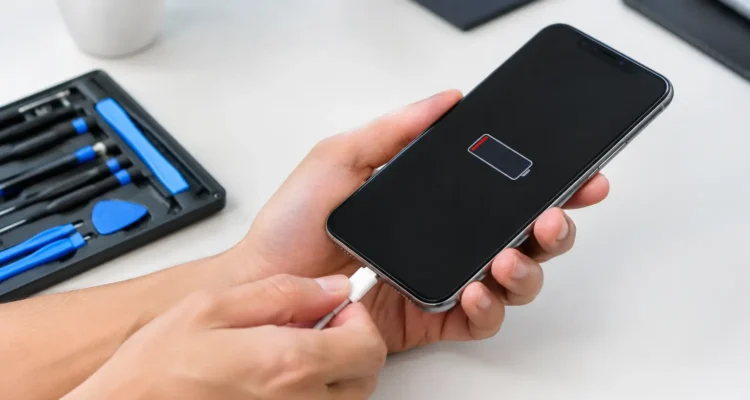
A phone that only charges at a certain angle, takes all night to gain a few percent, or refuses to recognize a cable can disrupt your whole day. Phone charging repair is often more affordable and quicker than replacing the device, but the right fix depends on what is actually causing the problem. A worn cable and a damaged charging port can look nearly identical from the outside.
Before you assume your phone is finished, take a breath. Many charging issues have a clear cause, and a proper diagnostic can separate a simple cleanup or battery replacement from a port or motherboard repair. The goal is not just to get the charging icon back. It is to make sure your phone charges safely and reliably when you need it.
Why Phones Stop Charging
Your charging system is a chain: the outlet, power adapter, cable, charging port, battery, and internal charging components all have to work together. If one part fails, your phone may charge slowly, disconnect repeatedly, get hot, or show no response at all.
The cable and wall adapter are the easiest places to start. Cables bend near the connector, internal wires break, and low-quality adapters may not provide enough power. If you have a second known-good cable and adapter, test them before assuming the phone itself needs repair. Try a different wall outlet too, rather than relying only on a car charger, power bank, or computer USB port.
Lint is another common culprit. A phone carried in a pocket or bag can collect compacted debris inside the charging port. The cable may appear connected but fail to click fully into place. That tiny gap can cause intermittent charging, slow charging, or repeated connection alerts.
Then there are problems that require professional attention. A bent port pin, corrosion after moisture exposure, a failing battery, a damaged charging flex cable, or an issue on the motherboard can all stop power from reaching the battery correctly. These failures are not always visible, and forcing the cable can make them worse.
Safe Checks Before Phone Charging Repair
There are a few sensible checks you can make at home. Start by restarting the phone and testing another compatible cable, adapter, and outlet. Let the phone sit on a reliable charger for 20 to 30 minutes if the battery is fully drained. A deeply depleted battery may not show an immediate response.
Look into the charging port under good light. If you see loose dust around the opening, avoid metal tools, pins, paper clips, or anything that can scrape the internal contacts. Do not pour liquid, use compressed air at close range, or keep pushing the connector in harder. Those quick fixes can turn a minor blockage into a damaged port.
If your device supports wireless charging, test that as well. A phone that charges wirelessly but not through the cable may have a port-related issue. That is useful information for a technician, although it does not guarantee the port is the only problem.
Pay attention to warning signs. Stop charging and seek help if the phone becomes unusually hot, smells burnt, has a swollen screen or back panel, shows moisture warnings that do not clear, or cycles between charging and not charging. A swollen battery is a safety concern, not a problem to wait out.
When the Charging Port Is the Problem
A damaged charging port usually causes a recognizable pattern. The cable may feel loose, fall out easily, work only when held in one position, or connect and disconnect with the slightest movement. On some devices, dirt causes these symptoms. On others, the port itself has worn down or the internal contacts have been bent.
Port repair is not a one-size-fits-all job. On certain phones, the charging port is attached to a replaceable lower flex assembly. On others, it is soldered to the motherboard and requires more detailed board-level work. The model, the extent of the damage, and whether the phone has corrosion all affect the repair approach and price.
This is why an on-the-spot diagnostic matters. Replacing a port when the real issue is a weak battery or charging chip wastes time and money. A technician should test power input, inspect the port, check battery behavior, and confirm that the device holds a stable charge after the repair.
Battery Trouble Can Look Like a Charging Failure
Sometimes the phone is charging, but the battery cannot hold the power it receives. An aging battery may drain rapidly, shut the phone down at 20 or 30 percent, stay stuck at one percentage for long periods, or heat up while charging. These symptoms are especially common on phones that have been used heavily for several years.
Battery replacement can restore usable runtime, but it will not solve every charging issue. If the phone does not detect a charger at all, if the connector is loose, or if the device has water damage, the battery may only be part of the story. Good diagnostics prevent unnecessary part replacements.
You should also consider your needs. If your phone is otherwise working well and has your apps, photos, and settings already in place, repair is often the cost-conscious choice. If it has extensive damage, recurring motherboard problems, and a failing screen, a technician can help you understand whether repair still makes financial sense.
Water Damage and Charging Problems
Charging problems often begin after a phone gets wet, even if it seemed fine at first. Moisture can corrode port contacts and internal connectors over time. A device may charge normally for a day or two, then suddenly stop accepting power or display a liquid-detection message.
Do not connect a wet phone to a charger. Turn it off if possible, remove the case, and have it inspected as soon as you can. Rice does not remove corrosion from internal components, and heat can damage the battery, screen, and seals. Professional water-damage treatment focuses on inspection, controlled cleaning, and testing the affected parts before corrosion spreads further.
What to Expect From a Professional Repair
A reliable repair process starts with finding the cause, not selling a part. At ProPhonez, technicians can assess whether the issue comes from debris, the charging port, battery health, water damage, software behavior, or a deeper board-level fault. You get a clearer idea of the repair path before moving ahead.
For straightforward charging port or battery jobs, turnaround can often be much faster than replacing and setting up a new phone. More complex motherboard or liquid-damage repairs take longer because the device needs careful testing. Fast service is valuable, but a rushed repair that does not confirm stable charging is not a real solution.
Part quality matters too. Depending on the device and repair, you may have genuine and high-quality aftermarket options. The right choice depends on availability, budget, and how you use your phone. Ask what part is being installed, what testing is performed, and what warranty coverage applies. ProPhonez backs eligible repairs with a 30-day warranty, giving you added confidence after service.
Protect Your Charging Port After Repair
Once your phone is working again, small habits can help it stay that way. Use a cable that fits firmly without forcing it, unplug by holding the connector instead of yanking the wire, and keep the port away from lint-heavy pockets when possible. Replace frayed cables promptly rather than continuing to bend them into a working position.
Avoid charging on soft bedding or under pillows, where heat can build up. If your phone regularly gets wet at work, at the gym, or outside, consider a protective case with a port cover, while remembering that no case makes a phone invincible. And if charging becomes inconsistent again, get it checked early. A loose connection is easier to address before repeated strain damages the port or internal components.
Your phone should not require a perfect angle, a specific cable wiggle, or constant guesswork just to power up. A quick diagnosis can turn that daily frustration into a dependable device you can count on again.