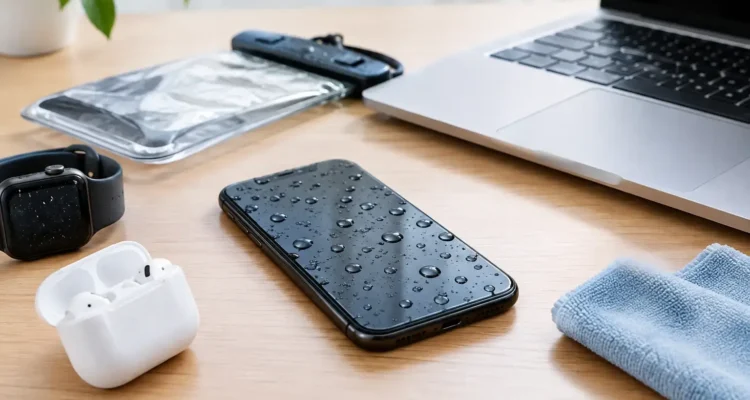
A phone slipping into a sink can turn an ordinary morning into a stressful scramble for photos, work files, banking apps, and family messages. The best ways to prevent water damage are usually simple habits, but they matter because moisture can reach a device long before you see a wet screen or hear a distorted speaker.
Water damage is not limited to dramatic drops in a pool. Steam from a shower, a drink spilled beside a laptop, rain in an open bag, and condensation in a cold car can all create problems. A little prevention protects your device, your data, and your budget.
1. Keep devices away from the splash zone
Kitchens, bathrooms, pools, beaches, and laundry rooms are high-risk areas. Keep your phone on a dry counter away from the sink, rather than balancing it on the edge while you cook or wash dishes. If you use a tablet for recipes, place it on a stand well away from splatter and steam.
In the bathroom, avoid setting your phone beside the tub or sink. Steam can work into charging ports, speaker openings, and seams over time. Listening to music or watching a video while getting ready is convenient, but a shelf outside the bathroom is safer than the counter beside the shower.
For laptops, think beyond the desk. A drink placed within arm’s reach is one accidental elbow away from a costly keyboard or motherboard repair. Keep beverages on a separate surface whenever possible. If that is not realistic, use a bottle with a secure lid instead of an open cup.
2. Use a protective case that fits your routine
A standard case helps with drops, but it may not protect against water. If you work outdoors, commute in rainy weather, spend time boating, or regularly take your phone near a pool, choose a case designed for water protection. Make sure it is rated for the depth and length of exposure you expect.
A waterproof pouch is often the better option for short-term use at the beach, on a boat, or during a rainy event. It can protect your phone from sand and wet hands too. Test the pouch first with a tissue inside, following its instructions, before trusting it with your device.
Do not assume a case stays waterproof forever. Cracked plastic, worn seals, loose latches, and debris around the closure can defeat its protection. Inspect it regularly, especially before travel or outdoor activities.
3. Do not overtrust water-resistance ratings
Many newer phones and smartwatches are marketed as water-resistant. That rating is helpful, but it is not a lifetime guarantee that your device can handle every splash, shower, or swim.
Water resistance can weaken after a drop, a screen repair, normal wear, or exposure to heat. It also does not always cover chlorinated pool water, saltwater, soaps, lotions, or pressurized water from a faucet. A device that survived one accidental dunk may not survive the next one.
Treat water resistance as a backup layer, not permission to use your phone underwater. Keeping a water-resistant device dry is still the least expensive plan.
4. Protect ports before charging
Charging a wet phone, tablet, smartwatch, or laptop can cause corrosion and may create more serious electrical damage. Before connecting a cable, check the charging port for visible moisture. If you have been outside in rain or moved from cold weather into a warm building, give the device time to dry naturally.
If your phone displays a moisture warning, take it seriously. Disconnect the cable and leave the device in a dry, ventilated space with the port facing down. Do not force a charger into the port or repeatedly tap the warning away.
Wireless charging can be useful when a phone’s charging port is damp, but only after the device exterior is dry and there is no sign that water entered the phone. It is not a solution for a soaked or malfunctioning device.
5. Keep laptops and tablets out of bags with wet items
A damp umbrella, leaky water bottle, sweaty gym clothes, or melted ice pack can quietly damage electronics inside a backpack. Use a padded sleeve for laptops and tablets, and store them in a separate compartment from anything that could leak.
Before packing up, check that the outside of your bottle is dry and its lid is fully closed. This takes seconds and can prevent moisture from pooling at the bottom of a bag during a commute. If your bag gets caught in heavy rain, move your device to a dry location as soon as you can and remove it from the bag so air can circulate.
For travel, a water-resistant backpack is helpful, but a sleeve or dry pouch adds another layer of protection. That extra layer matters when your laptop holds schoolwork, client files, or the only copy of an important project.
6. Be careful with temperature changes and condensation
Condensation is easy to miss because it can form inside a device. Moving a cold phone or laptop into a warm, humid room can create moisture around internal components. The same applies when you leave electronics in a cold car, then bring them indoors.
Let the device reach room temperature before charging or turning it on if you see condensation on the exterior. Keep it in a dry place and give it time. Rushing to power it up can turn a temporary moisture issue into a larger repair.
Avoid leaving devices in direct sun, a hot car, or beside a heater. Extreme heat can weaken adhesives and seals that help keep moisture out.
7. Keep food and drinks away from your workstation
Water is not the only liquid that causes trouble. Coffee, soda, juice, and energy drinks can leave sticky residue that corrodes components and makes cleaning more difficult. Sugary or acidic liquids often require professional cleaning even when the device seems fine at first.
Create a simple desk rule: electronics on one side, drinks on the other. If you work from home or have kids using shared computers, a spill-resistant bottle is a practical upgrade. It is less about being overly cautious and more about avoiding the one accident that interrupts your workday.
8. Back up your data before an accident happens
Prevention is not only about keeping water out. It is also about making sure a wet device does not take your important information with it. Turn on automatic cloud backups for photos, contacts, and documents, and back up laptops regularly to a secure drive or cloud service.
Check that your backup actually completed. Many people assume their photos are protected, then discover the last backup was months ago because storage was full or the device had not connected to Wi-Fi. A quick review can save a lot of stress.
For work or school files, keep more than one copy. If a laptop is damaged by a spill, having current files stored elsewhere gives you options while the device is being assessed.
9. Know what to do the moment a device gets wet
Fast action can make a real difference. If liquid touches your phone, tablet, laptop, smartwatch, or desktop tower, turn it off right away if it is safe to do so. Disconnect chargers, headphones, accessories, and external power. For a laptop, unplug it and avoid pressing keys or trying to see whether it still works.
Gently blot the exterior with a clean, lint-free cloth. Keep ports facing downward when possible so liquid can drain away rather than deeper inside. Remove a case, SIM tray, or detachable accessories only if they come off easily.
Do not use a hair dryer, put the device on a radiator, or place it in rice. High heat can damage components, and rice does not remove contamination from inside the device. Do not shake it aggressively either, since that can spread liquid farther through the device.
10. Get a wet device checked before corrosion spreads
A device can appear normal after getting wet and still develop problems days later. Corrosion may affect charging, microphones, cameras, speakers, batteries, or the motherboard long after the outside has dried. Saltwater, sugary drinks, and dirty water are especially urgent because they leave behind conductive residue.
Professional water-damage service typically involves opening the device, checking for moisture and corrosion, cleaning affected areas, and testing critical functions. The sooner this happens, the better the chance of preventing a small spill from becoming a no-power issue or data-recovery situation.
At ProPhonez, technicians can diagnose water-exposed phones, tablets, laptops, smartwatches, and other personal devices, then explain the condition and repair options before work begins. If your device holds essential files, mention that immediately so data preservation can be part of the plan.
A dry device is easy to take for granted until one spill puts your day on hold. Build a few protective habits now, keep a current backup, and if water does get in, power down and get help quickly instead of hoping it will dry itself out.