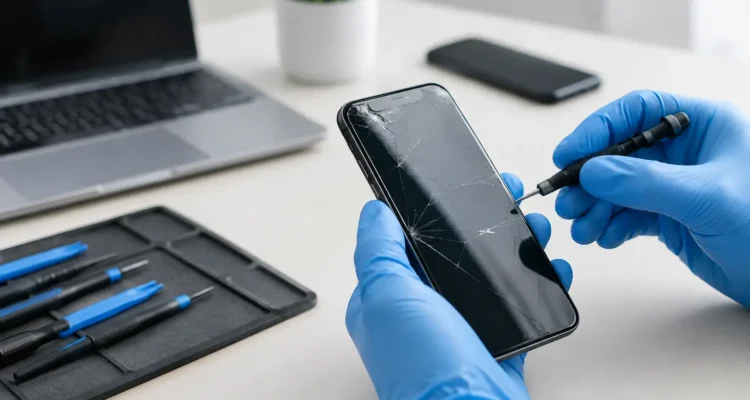
A cracked screen can turn a normal day into a scramble. You may be wondering, does screen repair erase data before handing over the phone that holds your photos, messages, work apps, banking details, and every login you cannot remember? For a standard screen replacement, the answer is usually no. Your data stays on the device because the technician is replacing the display assembly, not wiping or replacing the phone’s storage.
That said, “usually” matters. A damaged screen can be part of a bigger problem, particularly after a hard drop, liquid exposure, overheating, or a device that will not power on. A good repair shop will explain what is being repaired, what risks are involved, and whether you should back up your device first.
Does Screen Repair Erase Data During a Standard Fix?
A typical screen repair does not require a factory reset. On an iPhone, Samsung Galaxy, Google Pixel, iPad, tablet, laptop, or smartwatch, your personal files are stored on internal memory that is separate from the screen. Replacing cracked glass, a broken LCD, or an unresponsive touchscreen does not normally affect that memory.
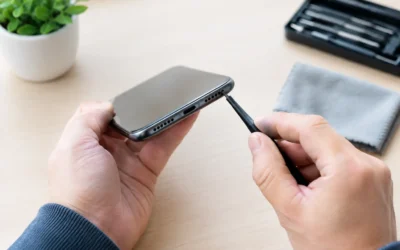
Once the new screen is installed, you should see the same home screen, apps, photos, conversations, and settings that were there before the repair. The repair process involves opening the device, disconnecting the battery where appropriate, removing the damaged display, installing a replacement, and testing the device. No one needs to erase your data to complete a normal display repair.
The same applies if the screen has black spots, flickering lines, dead pixels, ghost touches, or no picture at all. Those signs often point to a damaged display panel or screen connector, not a data problem.
When Your Data Could Be at Risk
Screen repair itself is low-risk for data, but the condition of the device matters. If the phone only has a cracked front glass and still works normally, your files are unlikely to be affected. If it was dropped into water, bent, repeatedly restarting, or completely dead, the repair may involve more than the screen.
A severe impact can damage the motherboard, battery connection, charging circuit, or internal storage components. Liquid can cause corrosion that gets worse over time. In these cases, a technician may need to diagnose the device before confirming whether a screen repair alone will bring it back.
There is also a small risk with any electronic repair. A device may have an existing hidden fault that becomes apparent during testing, especially if it was already unstable. This is why a trustworthy shop should not promise that every damaged device can be restored without seeing it first.
If the device is already stuck on the startup logo, has random shutdowns, will not charge, or gets unusually hot, mention it before the repair begins. Those details help the technician identify whether your device needs screen work, battery service, motherboard repair, or data recovery support.
Back Up Before You Bring It In If You Can
Even though data loss is not expected during a screen replacement, backing up is still the smart move. Think of it as protection against the original damage, not just the repair.
If your screen still works well enough to unlock the device, back up your iPhone to iCloud or a computer. Android users can back up photos, contacts, and device settings through their Google account, or create a local backup when available. For laptops and tablets, save current work to cloud storage or an external drive.
Do not delay a needed repair just because you cannot back up. A black or unresponsive screen can prevent you from accessing your files, but the data may still be safely stored inside the device. In many cases, installing a working screen is the first step toward getting access back.
Before dropping off your device, it also helps to:
- Make sure you know your passcode or password.
- Remove the SIM card if you prefer to keep it with you.
- Turn off account-based security features only if the repair shop specifically asks and explains why.
- Take photos of the device’s current condition, including any dents, cracks, or water indicators you can see.
Avoid factory resetting the device before a standard screen repair. A reset permanently removes local data and is rarely necessary for a cracked screen.
Why a Repair Shop May Ask for Your Passcode
A technician may ask for your passcode so they can test the new screen properly. After installation, they need to confirm that touch response works across the full display, brightness adjusts correctly, the front camera and proximity sensor work, and the phone can make calls or use Face ID or fingerprint features where applicable.
You have choices. You can provide the passcode, stay while basic testing is performed when the shop allows it, or enter the code yourself at pickup. Some tests will be limited without access to the phone, but a professional technician should respect your preference and explain what can and cannot be verified.
Your passcode is different from your Apple Account or Google account password. For a routine display replacement, you should not need to share the password to your email, banking app, social accounts, or cloud account. Be cautious of anyone who asks for more access than the repair requires.
What Happens if the Screen Is Black but the Phone Still Works?
This is one of the most stressful situations because the phone may still ring, vibrate, and receive messages while you cannot see anything. The good news is that a black screen does not automatically mean your files are gone. Often, the display has failed while the phone is still running normally underneath.
A screen replacement can restore access to your data if the internal storage and motherboard are healthy. This is especially common after a drop where the glass looks intact but the OLED or LCD panel has been damaged internally.
If a replacement screen does not restore an image or touch function, the next step is diagnosis. There could be a damaged connector, a power issue, or board-level damage. At that point, data recovery may be possible, but it depends on the device model and the specific fault. The most effective route is often repairing the original device enough to access its encrypted storage, rather than trying to move the storage to another phone.
Screen Repair, Water Damage, and Data Recovery Are Different Jobs
It is easy to assume every problem started with the visible crack. But a screen can be broken and the phone can have separate damage inside. Water exposure is the biggest example. Replacing the display may improve visibility, but it does not remove corrosion from the charging port, battery connection, or motherboard.
If your device got wet, acts erratically, or stopped working days after exposure, tell the technician right away. Water-damage treatment may need to happen before or alongside the screen repair. Waiting can reduce the chance of a reliable repair and make recovering important data harder.
This is also where an on-the-spot diagnosis makes a real difference. Instead of paying for a screen replacement and hoping for the best, you can get a clearer picture of what the device needs and what outcome is realistic.
How to Protect Your Privacy During Repair
Most screen repairs are straightforward, but your device contains personal information. Choose a repair provider that treats both the hardware and your privacy with care. Ask how the device will be tested, whether a passcode is required, and what warranty applies to the replacement part and labor.
At ProPhonez, technicians can diagnose the issue, explain the repair path, and test the work before you leave. For many phone models, same-day screen service can be completed in as little as 30 minutes to two hours, depending on the part and device. That means less time without your phone and less disruption to your work, school, family plans, and daily tasks.
Keep in mind that genuine and high-quality aftermarket screen options can differ in price and display performance. A technician should help you understand those choices without pressuring you into a replacement phone when a practical repair is available.
Frequently Asked Questions
Will I lose my photos after screen repair?
Not normally. Photos are stored in the device’s internal memory or cloud backup, not in the screen. If the phone has serious internal damage, there can be a risk, so back up first whenever possible.
Do I need to erase my phone before getting the screen fixed?
No. A factory reset is not part of a normal screen repair and will erase your data. Only reset the device if you have a separate reason to do so and have confirmed your backup is complete.
Can a repair shop see my data?
A technician may need limited access to test the replacement screen and device functions. You can ask about testing procedures, enter your own passcode, and avoid sharing account passwords that are not needed for the repair.
What if I cannot unlock my phone because the screen is broken?
Bring it in for a diagnosis. If the device is still functioning internally, a new screen may let you unlock it and back up your data. If there is a deeper fault, the technician can discuss the next repair or recovery options.
Your phone should not become disposable just because the display is damaged. Bring it in as soon as you can, ask the right questions, and give yourself the best chance of getting back to the files and conversations that matter.