Your phone gets hot while you are driving, gaming, charging, or trying to make an important call. A little warmth can be normal, but a phone that is too hot to hold, slows down, drains its battery fast, or displays a temperature warning needs attention. Knowing how to stop phone overheating can protect your battery, prevent unexpected shutdowns, and help you avoid a larger repair later.
The first rule is simple: do not force a hot phone to keep working. Give it a chance to cool down safely, then look for the reason it overheated. Often, the fix is straightforward. Other times, heat points to a tired battery, charging issue, water damage, or an internal hardware problem that needs a technician.
What to Do When Your Phone Is Overheating Right Now
Start by unplugging your phone if it is charging. Charging naturally creates some heat, and continuing to charge an already-hot device can make the problem worse. Remove the case too, especially if it is thick, rugged, or made of materials that trap heat.
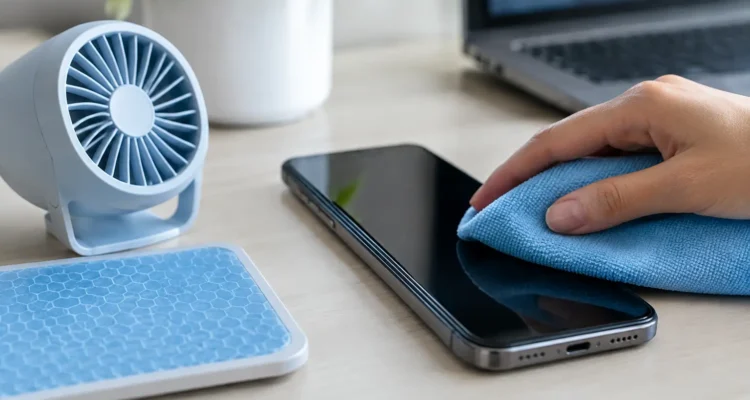
Move the phone out of direct sunlight and into a cool, shaded indoor space. Close games, video apps, navigation, camera apps, and anything else that is actively using the screen, GPS, mobile data, or processor. If it is still hot after a few minutes, turn it off completely and let it sit on a hard, dry surface.
Do not put a hot phone in a refrigerator, freezer, or against an ice pack. Sudden temperature changes can cause condensation inside the device, which creates a separate water-damage risk. Let it return to room temperature gradually.
If the screen is unresponsive or the phone will not power down, stop charging it, place it somewhere safe away from fabrics and paper, and avoid repeatedly pressing buttons. Once it cools, try a normal restart.
Common Reasons Phones Get Too Hot
Heat is your phone’s way of telling you it is working harder than usual. The cause can be temporary, such as using turn-by-turn navigation on a sunny day, or it can be a sign that a component is failing.
Heavy apps and poor signal
Streaming video, recording long videos, video calls, high-performance games, and navigation all demand a lot from your processor, screen, GPS, and wireless connections. Running several of these at once can make almost any phone warm.
A weak cellular signal can also be the hidden culprit. When your phone struggles to stay connected, it uses more power searching for service. This often happens in elevators, basements, parking garages, and areas with spotty coverage. Switching to Wi-Fi when available, or temporarily using airplane mode in a no-service area, can reduce the strain.
Sun, hot cars, and trapped heat
A dashboard mount may be convenient, but direct sun through a windshield can heat a phone quickly. Leaving a device in a parked car is even riskier, since interior temperatures rise fast. Avoid charging in the car while the phone is sitting in direct sunlight, particularly if you are also using maps.
Cases are useful for drops and scratches, but they can hold heat in during demanding tasks. You do not need to stop using your case permanently. Just remove it while charging or when the phone is noticeably hot, then put it back on after the device cools.
Charging accessories and battery wear
A damaged cable, loose charging port, low-quality adapter, or incompatible wireless charger can produce excess heat. Fast charging also runs warmer than standard charging. That does not automatically mean something is wrong, but the phone should not become painfully hot or show a temperature alert.
Older batteries are another frequent reason for repeated overheating. As lithium-ion batteries wear down, they may drain quickly, struggle to deliver consistent power, and heat up during charging or normal use. Battery swelling is an urgent warning sign. If the screen is lifting, the back panel is separating, or the phone no longer sits flat, stop using it and arrange a professional inspection right away.
Software bugs, malware, or background activity
A recent app update can occasionally cause a runaway process that keeps your phone busy even when you are not using it. A system update may also cause temporary warmth while your device reorganizes files and refreshes apps, but that should settle down within a day or two.
Check your battery settings to see which apps are using unusual amounts of power. Update your operating system and apps, then restart the phone. If one specific app consistently causes heat, uninstall it or limit its background permissions. On Android phones, downloading apps only from reputable sources also lowers the chance of malicious software consuming power behind the scenes.
How to Stop Phone Overheating in Daily Use
Once your phone has cooled, a few practical habits can prevent the issue from returning. Lowering screen brightness and shortening the screen timeout reduces heat and battery use, especially outdoors. Turn off Bluetooth, hotspot, GPS, and 5G when you do not need them. You do not have to disable every feature all day, but cutting unnecessary connections helps when the phone is already working hard.
Try not to charge under pillows, blankets, or on a soft couch. Soft surfaces hold warmth around the phone and charger. A desk, table, or other open hard surface is safer. If your phone gets hot with wireless charging, test a wired charger from a trusted brand. Wireless charging is convenient, but it generally creates more heat and may not be the best choice for a battery that is already aging.
Keep your storage from getting completely full as well. A phone needs room for updates, temporary files, photos, and normal system tasks. Deleting unused apps, old downloads, duplicate photos, and large videos can help performance. Back up important photos and files before making major changes or resetting a device.
When Overheating Means You Need a Repair
One hot afternoon does not necessarily mean your phone is broken. Repeated overheating without a clear reason is different. If the device gets hot while idle, becomes very warm during short calls, shuts down at 20% battery, or overheats every time it charges, it is time for a diagnostic.
Pay particular attention after a drop or water exposure. Internal damage is not always visible from the outside. A cracked back housing, bent frame, damaged charging port, or moisture on the motherboard can affect power flow and cause heat. Continuing to use a phone with those symptoms can worsen the damage and put your data at risk.
A skilled technician can test the battery, charging port, cable connection, power-management components, and motherboard for the real cause. That matters because replacing a battery will not solve an overheating issue caused by liquid damage or a failing board component. The right repair starts with identifying the faulty part instead of guessing.
At ProPhonez, technicians can inspect overheating phones and explain whether the issue is related to the battery, charging system, software, or internal damage. A repair may be a more affordable path than replacing a phone that still has plenty of life left, especially when your photos, work apps, contacts, and daily routines are tied to it.
Quick Questions About Hot Phones
Is it normal for a phone to get warm while charging?
Yes, mild warmth can be normal, especially with fast or wireless charging. It should cool down after charging ends. Significant heat, warnings, burning smells, sudden battery loss, or a swollen battery are not normal.
Can I keep using my phone after a temperature warning?
Let it cool first. Most phones limit features or shut down to protect internal components. Ignoring repeated temperature warnings can shorten battery life and may lead to further hardware damage.
Will closing apps fix overheating?
It can help when a game, camera app, video call, or navigation app is the cause. If your phone stays hot with no apps open, the issue may be battery-related, software-related, or internal.
Your phone should make your day easier, not leave you searching for shade or watching the battery disappear. Cool it down carefully, change the habits that create excess heat, and get it checked when the problem keeps coming back. A timely diagnosis can keep a small heat issue from turning into a phone you cannot rely on.