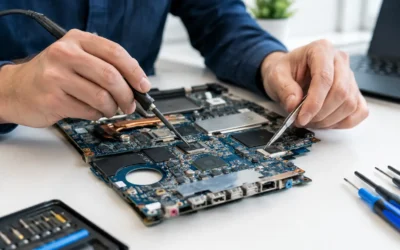
Your laptop dies before a work deadline, the screen cracks two weeks into the semester, or the battery suddenly lasts less than an hour. In those moments, laptop repair versus replacement is not just a tech question. It affects your budget, your files, and how quickly you can get back to work, school, and everyday life.
A new laptop can be the right answer, but it is not always the smart first move. Many common issues can be fixed for far less than the cost of a comparable replacement. The key is knowing whether the problem is isolated, whether the laptop still meets your needs, and whether a repair will give you enough useful life to justify the cost.
Laptop Repair Versus Replacement: Start With the Real Problem
Do not decide based only on the symptom. A laptop that will not turn on could have a worn battery, a damaged charging port, a failed screen, a software issue, or a more serious motherboard problem. Those are very different repairs with very different costs and outcomes.
A proper diagnostic is the best place to start. It tells you what failed, whether other components were affected, and what it will take to restore reliable use. If the issue is limited to one part, repair is often the more economical option. A cracked display, failing battery, broken keyboard, faulty fan, damaged charging port, or storage upgrade does not automatically mean the entire machine is done.
This matters because replacement has hidden costs. Beyond the price of the new computer, you may need to transfer files, reinstall programs, sign back into accounts, replace accessories, and spend time getting used to a different device. If the old laptop contains important photos, school projects, client files, or documents that were never backed up, data recovery may also become part of the process.
When Repair Is Usually the Better Choice
Repair is often worth it when your laptop is otherwise performing well and the problem has a clear fix. If it handles your usual work, connects reliably, runs the programs you need, and has enough storage and memory for daily use, replacing one damaged component can be a practical way to extend its life.
A battery replacement is a good example. Batteries naturally lose capacity over time, especially on laptops that are used daily or kept plugged in constantly. A weak battery is frustrating, but it does not mean the processor, display, keyboard, and storage are unusable. Replacing it can make a laptop portable again without the expense of buying new.
Screen damage is another repair that commonly makes sense. If the laptop powers on and works normally through an external monitor, the issue may be isolated to the display assembly. The same logic applies to a broken hinge, nonworking keyboard, damaged charging port, or a fan that is making excessive noise.
Repair can also be a strong choice after liquid exposure, but timing matters. Turn the device off, stop charging it, and have it checked as soon as possible. Liquid damage can spread and corrode components over time. Early cleaning and assessment may save a device that would become much more expensive to repair after days of use.
For many owners, the biggest reason to repair is continuity. You already have your files, software, settings, and workflow in place. A qualified technician can assess the issue, explain the options clearly, and help you avoid replacing a laptop over a problem that has a reasonable solution.
Signs Replacement May Make More Sense
There are situations where putting more money into an old laptop is not the best value. If your device has multiple major problems at once, repair costs can add up quickly. For example, a laptop with a failing motherboard, a cracked screen, a dead battery, and severe hinge damage may cost enough to make replacement more practical.
Age is part of the decision, but it is not the only factor. Some older laptops are still excellent for web browsing, email, documents, streaming, and basic schoolwork. Others are held back by outdated hardware that cannot run current software comfortably. If your laptop freezes during simple tasks, cannot support the operating system you need, or lacks the ports and features required for your work, a repair may solve one problem without solving the larger performance issue.
Replacement may also be smarter if a major motherboard failure occurs on an entry-level or very old model. Motherboard work is specialized, and the value of that repair depends on the device, the availability of parts, and the rest of the laptop’s condition. A diagnostic can help you compare the repair quote against what you would gain from a newer machine.
Think about your next two or three years, not just this week. If a repair will restore a dependable laptop that still suits your needs, it can be money well spent. If you would still need to replace the device soon because of speed, compatibility, or repeated failures, putting that money toward a replacement may be the better call.
Compare More Than the Repair Price
The lowest upfront price is not always the lowest total cost. A budget replacement laptop may be cheaper than a complex repair, but it may also have less storage, weaker performance, a lower-quality display, or a shorter useful lifespan than the laptop you already own.
Before deciding, compare the repair quote with the price of a replacement that genuinely matches your current machine. If you use a MacBook, a high-performance Windows laptop, or a model with a premium display, replacing it with an equivalent device can cost much more than expected. In that case, a screen, battery, keyboard, or charging repair may offer significantly better value.
Your data has value, too. If your files are not backed up, do not assume you can simply move everything to a new computer. A laptop with a startup problem may still contain recoverable data, and addressing that early can prevent added stress. Ask about data recovery before approving a replacement plan or attempting repeated restarts at home.
A Practical Way to Decide
Start by writing down what you need the laptop to do. A student who needs browser tabs, video calls, and documents has different requirements than a designer editing large files or a professional running specialized software. Then consider the laptop’s overall condition, not just the part that failed.
A repair is generally a strong option when the issue is isolated, the laptop still meets your performance needs, and the repair cost is reasonable compared with an equivalent replacement. Replacement becomes more attractive when failures are widespread, the device is no longer compatible with essential software, or the repair will not solve the underlying limitations.
Do not overlook timing. If you need your device quickly, ask about turnaround before making a decision. Some repairs can be completed the same day depending on the model, part availability, and issue. ProPhonez can provide an on-the-spot assessment, explain genuine and high-quality aftermarket part options when available, and back completed repairs with a 30-day warranty.
Protect Yourself Before Any Repair or Replacement
If your laptop still turns on, back up important files before bringing it in. Save documents, photos, browser bookmarks, and any project folders you cannot replace. If it does not turn on, avoid opening the device or using random online fixes that could make the damage worse.
Bring the charger if you are dealing with a power or charging issue, and be ready to describe what happened. Did it fall? Was there liquid exposure? Did it begin overheating after an update? Clear details help speed up the diagnostic process and lead to a more accurate recommendation.
A broken laptop does not always call for a shopping trip. Get the problem identified first, protect the files that matter, and choose the option that gives you reliable use without spending more than you need to.