Your phone fails at the worst possible moment: a screen cracks before a work call, the battery drops to 10% by lunchtime, or a splash of water turns a normal day into a panic. These phone repair examples show what can often be fixed quickly, what requires more careful assessment, and why replacing a device is not always your best next move.
For many common issues, repair restores the phone you already know, keeps your photos and apps in place, and costs far less than buying a new model. The right solution depends on the device, the extent of the damage, and whether the problem is limited to one component or affects the phone internally.
1. A Cracked Screen That Still Works
A cracked screen is one of the most familiar repair situations. You may still be able to text, use apps, and answer calls, but sharp glass, dead spots, flickering, or worsening cracks make it more than a cosmetic problem.
If the display and touch function are working, a screen replacement can return your phone to normal without affecting the rest of the device. If the display shows black ink-like blotches, colored lines, random flashing, or no image at all, the LCD or OLED panel likely needs replacement as well. That is why a technician checks both the glass and the underlying display before quoting the repair.
Many screen repairs can be completed the same day, often in 30 minutes to two hours depending on the model and part availability. It is a practical fix when your phone is otherwise reliable and you want to avoid transferring everything to a replacement device.
2. A Battery That Cannot Last the Day
When a phone once lasted until bedtime but now needs two or three charges, the battery may be worn out. Other signs include unexpected shutdowns, slow performance, overheating during regular use, or a battery percentage that jumps from 30% to 5%.
A battery replacement is often one of the best-value repairs because it addresses a problem that affects every part of your day. You should not have to plan errands, classes, or meetings around the nearest outlet. Replacing the battery can restore dependable daily use without the cost and setup time of a new phone.
That said, a weak battery is not always the battery itself. Heavy background activity, a charging-port issue, water damage, or software trouble can cause similar symptoms. A quick diagnostic helps separate a straightforward battery repair from a deeper problem.
3. A Phone That Will Not Charge
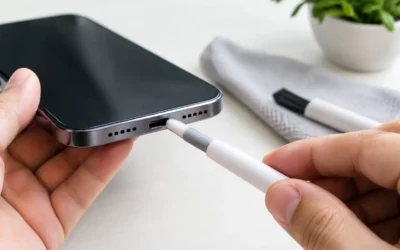
A phone that refuses to charge can feel completely dead, but the fix may be simpler than it looks. Pocket lint and debris can become packed into the charging port, preventing the cable from seating properly. A worn cable or power adapter can also be the real culprit.
If cleaning the port and testing a known-good charger do not help, the charging port, battery connection, or internal board may need attention. This is one of the phone repair examples where a professional inspection matters. Forcing a cable into a damaged port can bend internal pins and turn a small repair into a more involved one.
Bring the cable and adapter you normally use when possible. Testing the phone with the same accessories gives the technician a clearer picture of what is happening.
4. Water Damage After a Spill or Drop
A dropped phone in a sink, puddle, toilet, or pool needs fast action. Even water-resistant phones are not guaranteed waterproof, especially if the screen, back glass, seals, or frame have been damaged before the accident.
Turn the phone off if it is on, disconnect it from charging, and do not keep pressing buttons to see whether it works. Avoid rice. It does not remove internal moisture or corrosion, and it can leave dust in ports. Heat from a hair dryer is also risky because it can push moisture farther inside or damage sensitive components.
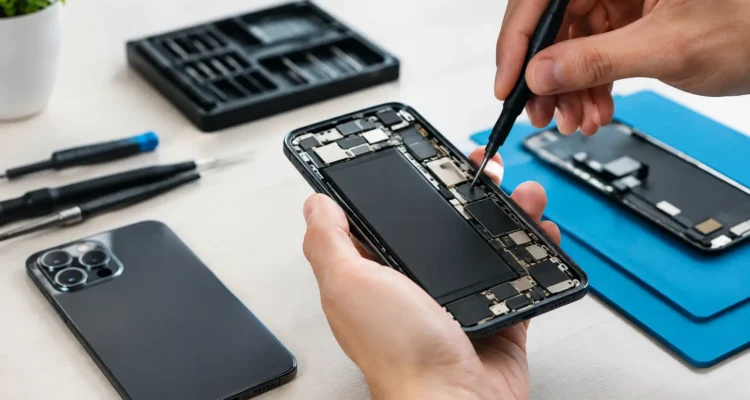
Water-damage service involves opening the device, inspecting it for moisture and corrosion, cleaning affected areas, and testing key functions. The outcome depends on how long the phone was exposed, what liquid was involved, and whether power continued running through wet components. Some phones recover fully; others may need parts, motherboard work, or data recovery.
The sooner you get it checked, the better the chance of limiting corrosion and saving your information.
5. A Broken Back Glass or Bent Housing
A shattered back panel can leave your phone uncomfortable to hold and vulnerable to moisture and dust. On many modern phones, the back housing also protects cameras, wireless charging components, and internal connections. Ignoring the damage can allow a small crack to become a bigger issue after another drop.
Back glass or housing repair is especially worthwhile when the phone still performs well and the damage is confined to the exterior. A technician can assess whether the camera lenses, frame, wireless charging, and internal components were affected too.
There is a trade-off here. Back glass work can be more complex than screen replacement because it may require careful removal around internal hardware. Still, repairing the housing can cost less than replacing an otherwise functional premium device.
6. You Can Hear Calls, but Nobody Can Hear You
Call-quality problems are frustrating because they are not always obvious. Maybe your earpiece is quiet, your speaker sounds distorted, voice notes record nothing, or callers say you sound far away. In some cases, dirt around the speaker or microphone openings is enough to affect sound. In others, the speaker, microphone, flex cable, or board connection needs repair.
Before assuming the hardware has failed, try turning off Bluetooth and restarting the phone. A phone connected to earbuds, a car system, or another audio device may be routing sound somewhere else. If the issue continues, testing the microphone, earpiece, loudspeaker, and video-recording audio can pinpoint the failed part.
A targeted repair gets you back to clear calls, reliable directions, voice messages, and hands-free communication without replacing the whole phone.
7. The Phone Is Locked, Disabled, or Unavailable
Too many incorrect passcode attempts can leave a device disabled or unavailable. This becomes more stressful when the phone contains work files, family photos, two-factor authentication apps, or important contacts.
The correct next step depends on the phone model, security status, and whether you have a backup. A technician can explain available unlocking or recovery options and help you avoid actions that could permanently erase information. However, no legitimate service can bypass every security measure without the required account credentials or authorization.
If data matters, say so before any reset or software procedure begins. A careful conversation upfront can prevent avoidable loss.
8. The Phone Keeps Restarting or Has No Signal
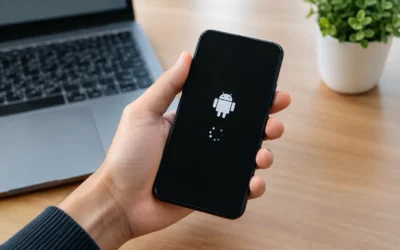
Random restarts, freezing, no service, Wi-Fi problems, camera failure, or a phone that will not power on can point to software trouble, a damaged component, or motherboard damage. These repairs require more diagnosis because the same symptom can have several causes.
For example, a phone that restarts may have a failing battery, damaged charging circuitry, storage problems, or damage from a past drop. A phone with no signal could have a carrier setting issue, a damaged antenna, a SIM problem, or a board-level fault. Replacing parts without testing would be guesswork.
This is where on-the-spot diagnostics can save time and money. At ProPhonez, technicians assess the problem, explain the likely repair path, and let you decide whether the repair makes sense before work moves forward. When motherboard repair is not economical, data recovery may still be worth considering.
When Repair Makes More Sense Than Replacement
Repair is usually the smart choice when the phone meets your daily needs, the damage is limited, and the cost is comfortably below replacement. It also means less time setting up a new device, recovering passwords, moving apps, and hoping your data transferred correctly.
Replacement may make more sense when there are multiple major failures, repeated water damage, severe frame damage, or an older phone that no longer supports the apps and updates you need. A trustworthy repair shop should be honest about that difference rather than pushing a repair that will not give you reliable results.
What to Do Before Bringing in Your Phone
If your phone still turns on, back it up before repair whenever you can. Remove any case, keep your passcode available if testing will require it, and write down the symptoms you have noticed. Mention drops, spills, charging behavior, error messages, and whether the problem began after an update.
Most standard repairs do not require access to your personal content, but testing certain functions may require you to unlock the device. Ask how your information will be handled and what warranty applies to the repair. A 30-day warranty offers helpful reassurance when you are choosing between a repair and an expensive replacement.
A cracked screen or failing battery does not have to derail your week. Get the problem diagnosed early, choose the repair that fits the condition of your device, and get back to using the phone your life depends on.