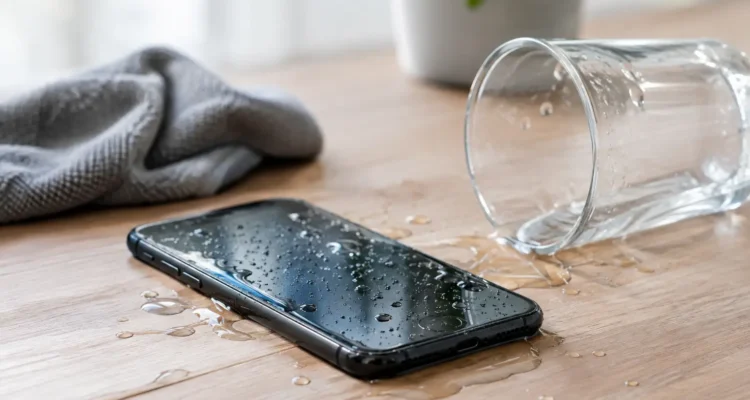
A phone can survive a splash, but the next few minutes often decide whether it needs a simple cleaning or a major motherboard repair. This phone water damage guide gives you the practical first steps to take when your device meets a sink, spilled drink, rainstorm, or pool – without relying on risky home remedies.
The first hour after your phone gets wet
Start by removing your phone from the liquid immediately. Do not pause to check messages, test the camera, or see whether the speaker still works. Water and electricity are a bad combination, and using the device can send current through areas that were not damaged at first.
Turn it off as soon as you can. If the screen is unresponsive but the phone is still on, do not keep pressing buttons repeatedly. Hold the power button only as needed to shut it down, then leave it off.
Next, remove the case, charging cable, earbuds, and any accessories. If your phone has a removable SIM tray, take it out and gently dry the tray and card with a clean, lint-free cloth. Keep the phone with its charging port facing downward so liquid has a better chance of draining out instead of moving farther inside.
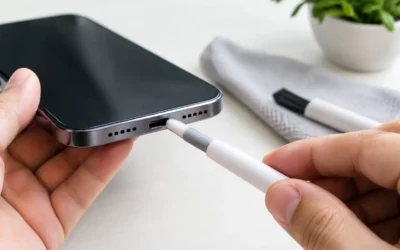
Blot the outside carefully. A soft microfiber cloth works well. Do not shake the phone aggressively, hit it against your hand, or blow into the charging port. Those moves can push moisture deeper into the device, including the screen, cameras, microphones, and logic board.
If it was exposed to salt water, soda, coffee, juice, or another sticky liquid, treat it as urgent even if it appears to work. The water may dry, but residue can remain behind and begin corroding connectors and board components.
What not to do after water exposure
The most common mistake is trying to charge a wet phone. Do not plug in a charging cable, place the phone on a wireless charger, or connect it to a computer. Many newer phones detect moisture in the port and display an alert. Take that warning seriously. Charging before the internal components are dry can cause a short circuit and turn a repairable problem into a dead device.
Avoid the rice bag trick, too. Rice does not remove mineral deposits or sugary residue, and loose grains or dust can get caught in ports. It may absorb a little surface moisture from the air, but it will not clean the inside of your phone.
Do not use a hair dryer, oven, radiator, or direct sunlight. High heat can weaken adhesive, warp internal parts, damage the battery, and make moisture spread. Compressed air is also a poor choice because its pressure can force liquid into places it did not reach before.
A fan in a cool, dry room is safer than heat, but air drying is only a temporary measure. It cannot tell you whether corrosion has already started under shields and connectors.
Why a phone can fail days after it gets wet
Water damage is not always dramatic. Your phone may turn on, make calls, and seem perfectly normal after a spill. Then, two or three days later, the screen flickers, Face ID or fingerprint recognition stops working, the battery drains unusually fast, or the charging port becomes unreliable.
That delay happens because corrosion takes time. When liquid reaches the motherboard, charging port, battery connector, display connector, or camera assembly, it can leave behind minerals that continue reacting with metal parts. A small amount of corrosion can interrupt a signal path long after the visible moisture is gone.
The type of liquid matters. Clean tap water is usually less damaging than pool water, salt water, coffee, soda, or toilet water. Salt and chlorinated water are especially harsh because they speed up corrosion. Sweet drinks can leave a sticky film that affects buttons, speakers, microphones, and charging connections.
Water resistance also has limits. An IP rating is useful protection against specific testing conditions, not a lifetime guarantee that your phone is waterproof. Dropping a phone, replacing a screen, normal wear around seals, and age can all reduce that protection. Even a water-resistant model deserves quick attention after exposure.
When to bring in a phone for water damage service
If the phone will not power on, shows lines on the screen, has distorted sound, will not charge, heats up, restarts on its own, or has fog inside the camera lens, it needs professional diagnostics as soon as possible. Do not wait for it to “dry out” for a week while corrosion continues.
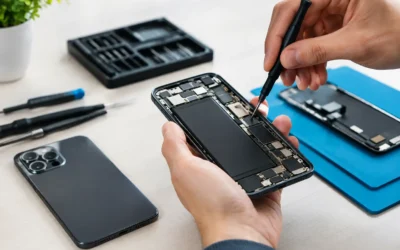
Even if it seems fine, professional cleaning is worth considering after a full dunk or exposure to contaminated liquid. A repair technician can open the device safely, inspect moisture indicators, disconnect the battery, clean affected areas with proper solutions, and test the parts that are most likely to fail.
At ProPhonez, water-damage diagnostics focus on what can realistically be saved. Sometimes cleaning and component-level work restore the phone completely. Other times, the charging port, screen, battery, cameras, or motherboard may need repair. The best option depends on the device model, liquid type, time since exposure, and whether power was applied after the incident.
There is no honest one-price answer for every wet phone. A minor splash caught early may only require cleaning. A phone that was charged while wet or left submerged can need deeper board-level repair. Getting an inspection early gives you clearer choices before the damage becomes more expensive.
Protect your data before the situation gets worse
Photos, messages, work files, authenticator apps, and contacts are often more valuable than the phone itself. If your device is dry enough to operate normally and has no heat, display issues, or charging problems, back it up right away using its usual cloud backup option or a trusted computer connection. Do not force a backup if the phone is acting unstable or if the port is wet.
If the phone cannot turn on, avoid repeated attempts to start it. Each power attempt can create another opportunity for a short. Let a technician know that data recovery is your priority before repair begins. In some cases, restoring power long enough to retrieve data is possible even when the phone is not economical to repair for daily use.
Do not erase or factory reset a water-damaged device unless you have confirmed your data is safely backed up. A reset will not remove corrosion, and it can make recovery harder if the phone later fails completely.
A practical phone water damage guide for different situations
A few drops of rain on the screen are different from a phone submerged in a bathtub. Use the situation to decide how quickly you need help.
For a light splash, turn the phone off, remove the case, dry the exterior, and keep it disconnected from power until you are confident the port is dry. Watch for charging alerts, foggy cameras, muffled audio, or touch-screen problems over the next day or two.
For a full submersion, turn it off immediately and arrange a professional inspection as soon as possible. This is especially true for salt water, pool water, drinks, or any liquid that is not clean water.
For a phone dropped in a sink or toilet, prioritize safe handling. Disconnect it from power, clean the outside with a lightly dampened disinfecting wipe after it has been powered off, and avoid getting more liquid into openings. Then have the internal condition checked.
For a phone exposed to rain while charging, unplug it from the power source first if it is safe to do so. Do not reconnect the cable until the device has been inspected or fully dried. Water around a charging connector creates more risk than rain on the phone’s exterior.
Can you prevent water damage next time?
A quality case with raised edges can help with drops, but it cannot seal every opening. For beach days, boating, travel, or work around water, a properly sealed waterproof pouch provides more protection than a standard case. Keep your phone away from the edge of sinks and tubs, and avoid charging it near drinks, windows, or kitchen counters where spills happen fast.
It also helps to maintain current backups. Water damage is stressful enough without wondering whether years of photos or critical work files are gone. Automatic backups give you more options if a repair is not possible.
If your phone just got wet, the best move is simple: power it down, keep it off the charger, and get a proper assessment before a small spill becomes a bigger interruption.