Your phone gets hot during a long video call, while charging in the car, or halfway through a game. A little warmth is normal. But when the screen dims, the battery drains fast, the phone shuts down, or it feels too hot to hold comfortably, you need to know why phones overheat and what to do before heat turns into a bigger repair.
Phones are compact computers with batteries, processors, cameras, and antennas packed into a small space. They create heat whenever they work. Usually, the device manages that heat on its own. When it cannot, it may slow down, pause charging, or display a temperature warning to protect its internal components.
Why Phones Overheat During Everyday Use
The most common reason is a heavy workload. Streaming high-resolution video, navigating with GPS, recording long videos, playing graphics-heavy games, or joining a video meeting makes the processor work harder. Using several of those features at once, such as recording video while using mobile data outdoors, creates even more heat.
Signal strength also matters more than most people realize. When your phone struggles to find or hold a cellular signal, it uses extra power trying to connect. That is why a phone can get noticeably warm in an elevator, basement, rural area, crowded event venue, or spot with weak reception. Switching to Wi-Fi when available can reduce that strain.
Hot surroundings can push a normally warm phone into unsafe territory. Leaving it on a dashboard, near a sunny window, under a pillow, or in a hot bag traps heat around the device. Direct sunlight is especially tough on phones with dark cases. Your phone cannot cool itself well if the air around it is already hot.
A thick protective case is not automatically a problem, but it can hold heat in during charging, gaming, or extended camera use. If overheating happens repeatedly during those activities, take the case off temporarily and see whether the temperature improves.
Charging Can Make Heat Worse
Charging naturally produces some heat, especially with fast chargers and wireless charging pads. A warm phone while charging is not necessarily a cause for alarm. A phone that becomes very hot, stops charging, or develops a burning smell is different.
Poor-quality cables, damaged charging ports, incompatible adapters, and failing charging components can cause irregular power flow and excess heat. So can using your phone heavily while it charges. Watching videos, gaming, or running navigation while connected to power asks the phone to charge and work hard at the same time.
Wireless charging creates more heat than wired charging in many cases because energy transfers through the charger and phone coils. If you rely on wireless charging, make sure the phone is centered on the pad, remove an unusually thick case, and do not place anything between the phone and charger.
Do not keep using a charger that has a bent connector, frayed cable, loose fit, or gets unusually hot. It is a small accessory, but it can create a real risk for your battery and charging port.
A Worn Battery May Be the Real Issue
Lithium-ion batteries lose capacity as they age. As a battery deteriorates, it can struggle to deliver power efficiently. That may lead to overheating, sudden battery drops, unexpected shutdowns, slow performance, or a phone that only works properly when plugged in.
Battery swelling is an urgent warning sign. If the screen or back panel begins lifting, the phone rocks on a flat surface, or the case no longer fits correctly, stop charging and using it. Do not press the screen back down or try to puncture the battery. A swollen battery needs professional service as soon as possible.
Software, Apps, and Background Activity
Sometimes the problem is not physical damage at all. A buggy app can keep running in the background, use location services nonstop, or overload the processor. This often happens after installing a new app, updating an operating system, restoring data to a new phone, or downloading a large amount of content.
Start by restarting the phone. A restart can clear a frozen process that is consuming power. Then check for app and system updates. Developers frequently release fixes for battery drain, crashes, and excessive background activity.
If one app consistently makes your phone hot, force-close it and test your phone without it for a day. You may need to update, reinstall, limit its permissions, or remove it. Check battery usage in your phone settings to spot apps using more power than expected.
Malware is less common on well-maintained phones, but suspicious apps, pop-ups, unfamiliar permissions, and unexplained data use deserve attention. Back up important information before making major software changes. If the device is locked, unavailable, or too unstable to back up, a repair technician may be able to help protect your data before further troubleshooting.
What to Do When Your Phone Is Too Hot
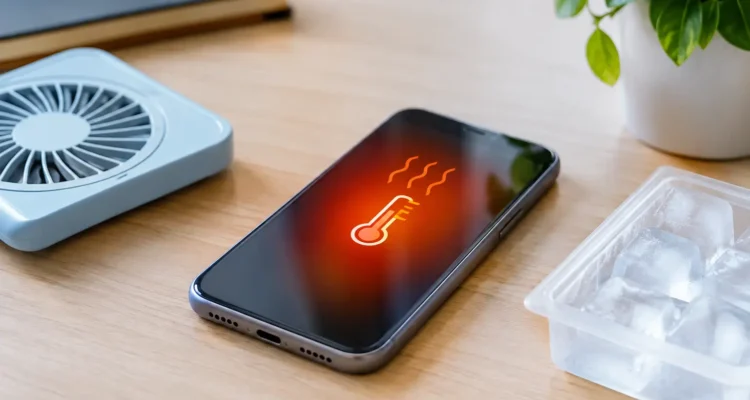
When your phone overheats, act calmly. Turn off demanding apps, disconnect the charger, move the device out of direct sun, and remove the case if it is trapping heat. Put it on a hard, shaded surface with good airflow and let it cool naturally.
Avoid the quick fixes that can cause more damage. Do not put your phone in a refrigerator or freezer. Rapid temperature changes can create condensation inside the device, potentially damaging the screen, battery, camera, and motherboard. Do not place it directly in front of an air conditioner vent either. Gentle room-temperature cooling is the safer choice.
If the phone shows a temperature warning, powers off, or will not charge until it cools down, give it time. Trying to restart it repeatedly or plugging it back in right away can add more strain. Once it returns to a normal temperature, use it lightly and watch for the same issue.
Here are signs that the heat problem needs more than a cooldown:
- The phone overheats during light use or while sitting idle.
- It becomes hot every time you charge it, even with a reliable charger.
- The battery drains rapidly, shuts down unexpectedly, or will not hold a charge.
- The screen lifts, the back housing separates, or the phone appears swollen.
- Heat started after a drop, water exposure, charging-port damage, or a prior repair.
- You notice a burning smell, smoke, discoloration, or crackling sounds.
For smoke, a burning smell, or a visibly swollen battery, move the device away from flammable materials and stop using it. Do not attempt a home battery repair.
Why Phones Overheat After Water Damage or a Drop
A phone can seem fine right after a drop or water exposure, then develop heating problems days later. Internal damage is not always visible. A damaged battery connector, bent charging component, cracked motherboard solder point, or corrosion from moisture can create a short or force components to work abnormally.
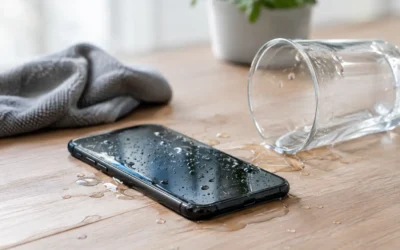
Water damage is especially unpredictable. Even if the phone turns on, moisture and corrosion can spread over time. Charging a wet or recently wet phone may worsen internal damage. Turn it off if possible, do not use heat tools or rice, and have it assessed. A proper repair involves inspection, cleaning, component testing, and checking whether the battery or board has been affected.
When a Repair Is Worth It
An overheating phone does not automatically mean you need a replacement. Many cases come down to a worn battery, damaged charging port, software issue, or repairable internal component. Replacing the battery can restore more dependable daily use and cost far less than buying a new phone.
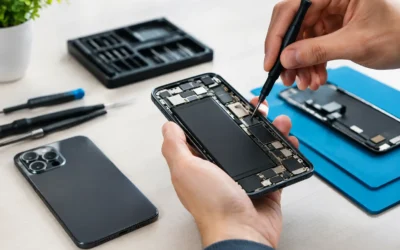
The right repair depends on the cause. A technician should inspect battery health, charging behavior, temperature patterns, liquid indicators, and internal connections rather than guessing. At ProPhonez, the goal is to identify the issue clearly, explain your options, and get your device back to reliable use with quality parts and thorough testing.
Your phone should support your work, conversations, school tasks, and plans, not leave you watching a temperature warning. If overheating keeps coming back, getting it checked early can help protect the battery, your data, and the device you already depend on.